Using Virtual Numbers to Sign Up for Delivery Services
Contents
Using Virtual Numbers to Sign Up for Delivery Services
Quick Answers Before You Start
Why do delivery apps ask for a phone number?
Can you register for a delivery app with a virtual number?
Why use Tiger SMS for delivery app verification?
Will a virtual number stop marketing texts?
Popular Delivery Apps That Require Phone Verification
Why This Step Can Become Frustrating
Why a Virtual Number Fits Delivery Sign-Ups, and How Tiger SMS Works
Using Virtual Numbers to Sign Up for Delivery Services
Food and parcel delivery apps make everyday errands simpler, yet nearly all of them ask for a phone number before you can place a first order. That confirmation step protects the platform, but it also ties your personal line to marketing lists, and in some markets it only works when your number comes from a particular country. Virtual numbers for delivery services offer another route: with Tiger SMS, you can receive the SMS verification code a signup requires on an online number and keep your own line separate.
Quick Answers Before You Start
Why do delivery apps ask for a phone number?
They use it to confirm you are a real customer and to let couriers reach you about an order. DoorDash, for example, verifies the phone number so a courier can contact the customer by SMS during delivery.
Can you register for a delivery app with a virtual number?
Yes, if the number can receive the confirmation SMS. Tiger SMS supplies an online number for exactly that purpose.
Why use Tiger SMS for delivery app verification?
It lets you receive the registration code without handing over your personal number, and you pay only when the SMS actually arrives.
Will a virtual number stop marketing texts?
It keeps promotional messages tied to the verification number rather than your main line, though each platform still sets its own messaging rules.
What should you know first?
Tiger SMS receives verification codes only. It is not a calling service, a long-term line, or a way to recover an account later.
Popular Delivery Apps That Require Phone Verification
Most major delivery brands treat a verified mobile number as a required part of registration. The examples below are among the most recognized in their regions, and each one sends a confirmation code by SMS during sign-up.
United States. DoorDash asks for your name, email, and mobile number at registration, then sends a six-digit code by text that you enter to confirm the account. The company also uses that number to send promotional offers to customers who are on its text-message list. Uber Eats follows a similar pattern, tying account access to a verified line.
Europe. Deliveroo, founded in the United Kingdom, requires a valid email and phone number at registration and sends an SMS confirmation code before you can order. Wolt, based in Helsinki, makes phone-number verification a mandatory part of signing up. Glovo, the Barcelona courier platform, also sends an SMS code that you must enter to complete registration.
Asia. Grab is the leading ride-and-delivery super-app across Southeast Asia, and you cannot create a Grab account without a phone number, because the platform uses a one-time password to verify your identity. Foodpanda works the same way, sending one-time passwords by SMS for both registration and login.
Why This Step Can Become Frustrating
The first problem is unwanted messaging. Once your personal number is linked to a delivery profile, it often ends up on a marketing list, and discount texts start arriving alongside the order updates you actually want. Keeping the verification code on a separate online number helps you avoid that clutter on your main line.
The second is regional number requirements. Some platforms accept only numbers issued in the country where they operate. Foodpanda, for instance, often restricts registration in a given market to local numbers. That creates a barrier for people who have moved abroad, travel frequently, or hold a foreign line. Tiger SMS lets you choose a number from a range of countries so you can receive the code, but availability depends on the service and country, and you remain responsible for following each platform's terms.
Users are responsible for following the rules of each platform they register for. Tiger SMS is not responsible for actions users take on third-party services and does not provide refunds if a successfully registered account is later blocked, banned, restricted, reviewed, or limited.
Why a Virtual Number Fits Delivery Sign-Ups, and How Tiger SMS Works
A delivery signup usually needs just one code, and an online number is well matched to that task. Tiger SMS provides a virtual number for receiving the SMS confirmation, so your personal contact details stay private and separate from courier apps and their promotions. You pick a service and a country, request the number, and pay only once the message is received; if registration with the provided number is not possible, you are refunded.
Choosing a number from the country a platform supports can also help when a service only accepts local lines. Tiger SMS offers a wide selection of countries for this reason, though it does not guarantee that every service works with every country, and it warns you before payment when a chosen combination is unavailable.
Users are responsible for following the rules of each platform they register for. Tiger SMS is not responsible for actions users take on third-party services and does not provide refunds if a successfully registered account is later blocked, banned, restricted, reviewed, or limited.
Here is how to receive a delivery-app code with Tiger SMS:
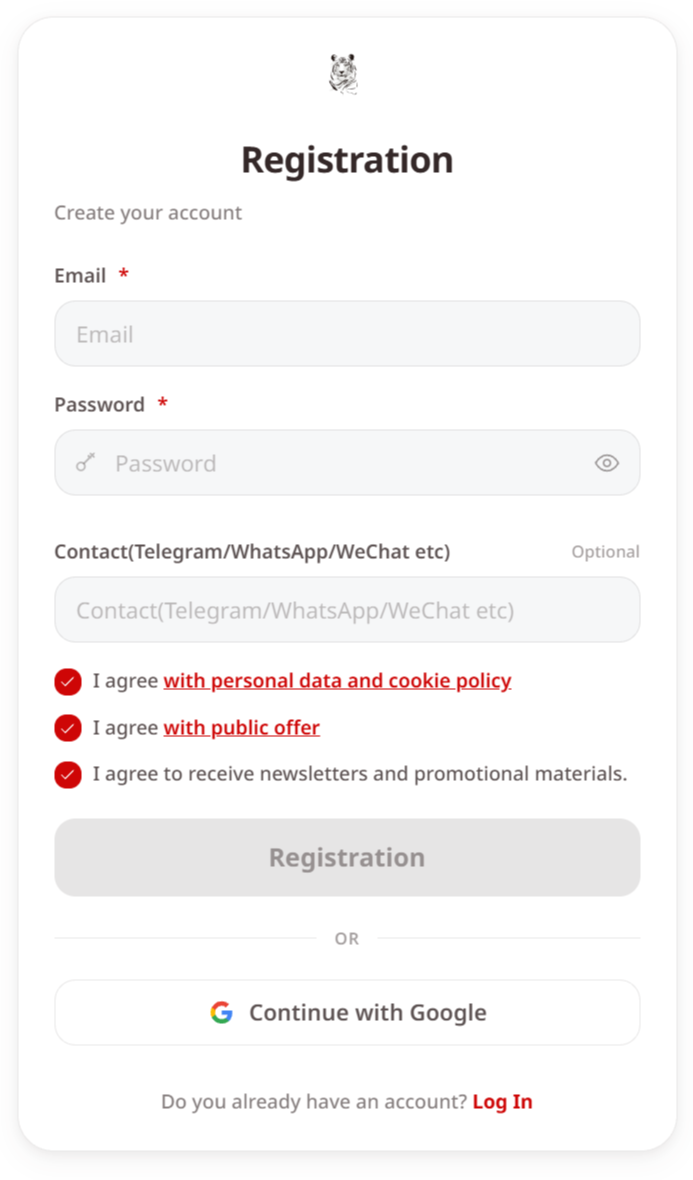
1. Create a Tiger SMS account or log in on the website or the Telegram bot.
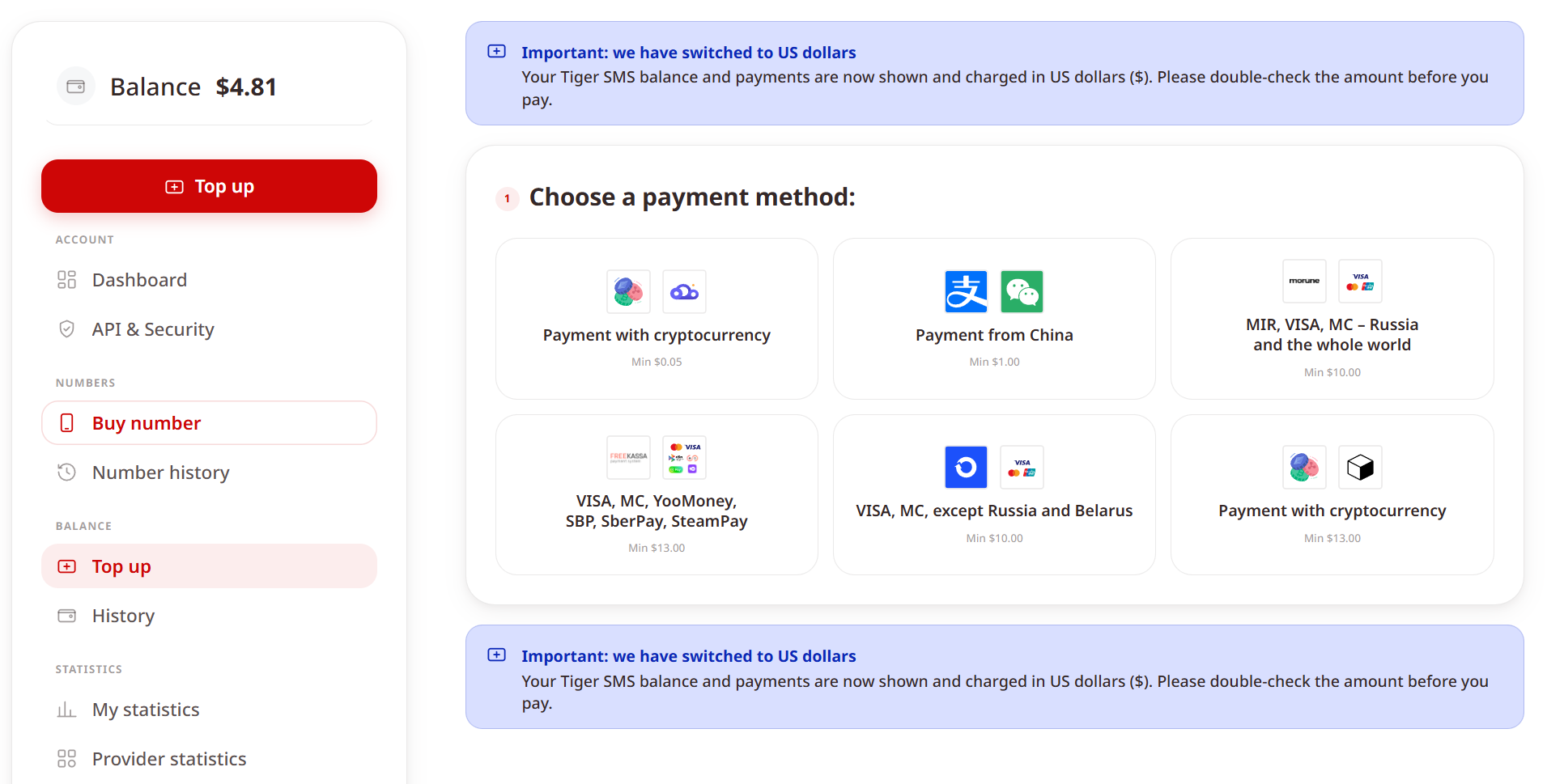
2. Add funds using one of the available payment methods.
3. Choose the delivery service you want to verify. If it is not listed, select the “Any service” option, keeping in mind that availability is not guaranteed in that case.
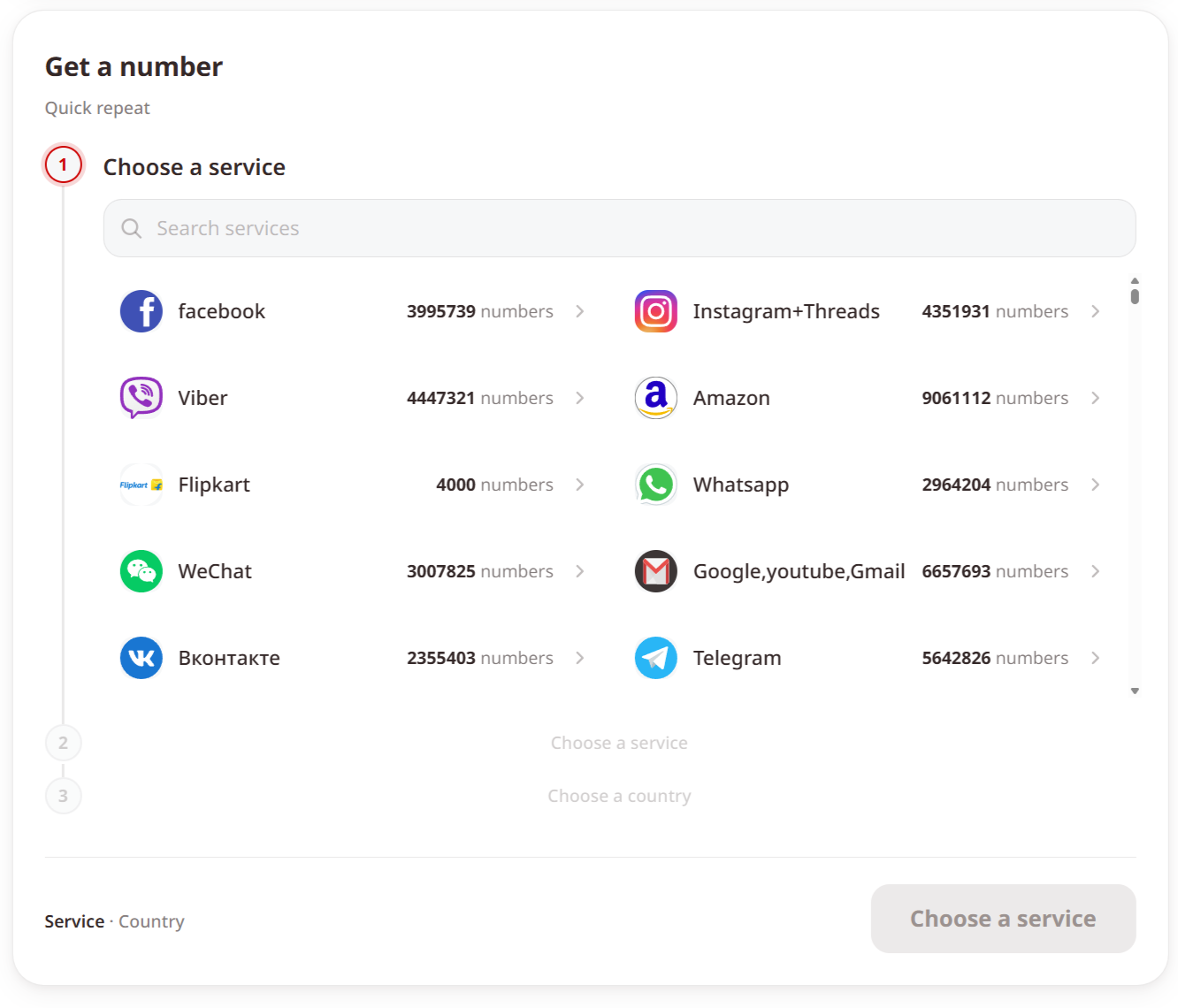
4. Choose the country for the virtual number. Tiger SMS will alert you if the selected service is unavailable for that country before you pay.
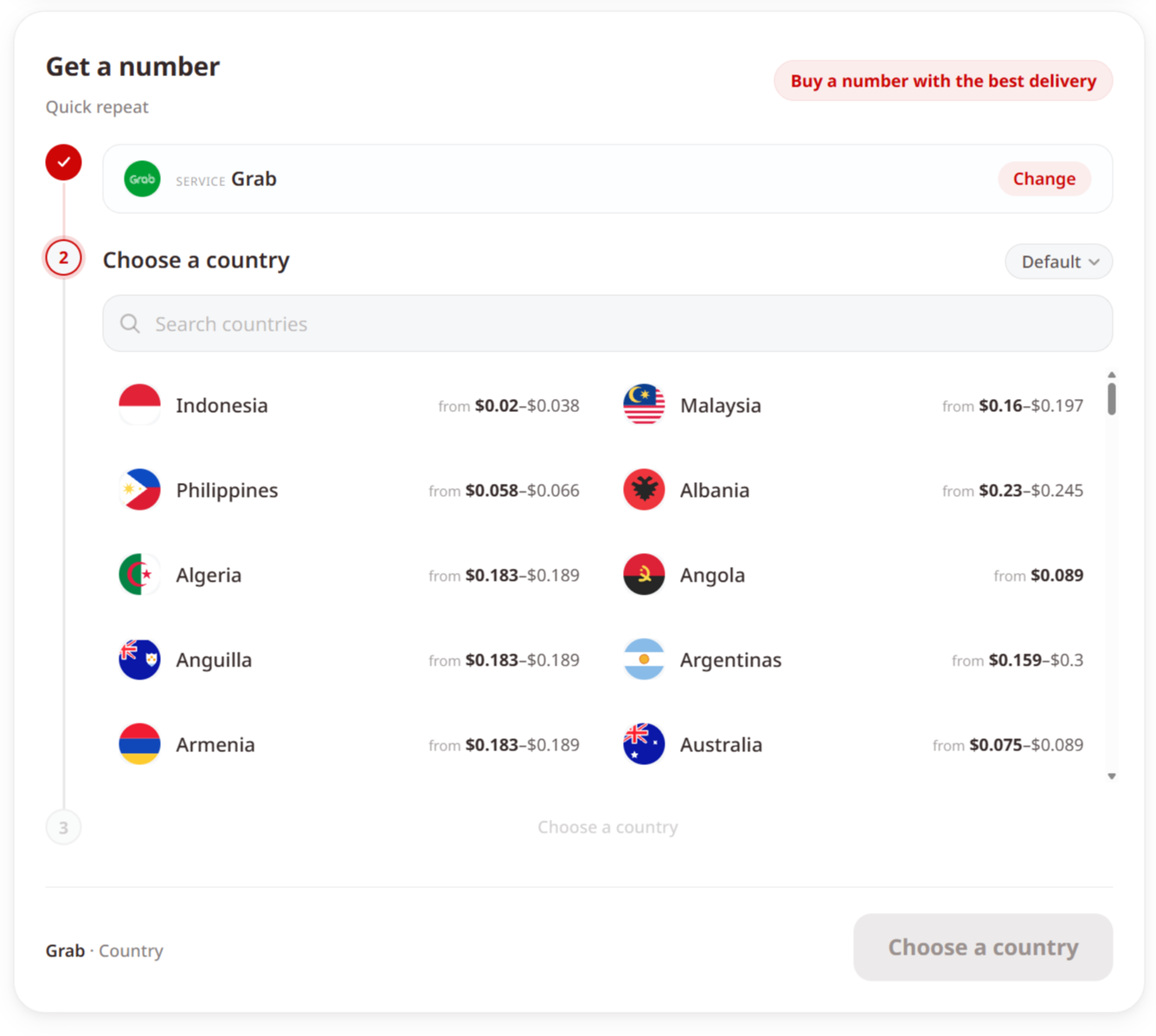
5. Request the number and enter it during registration on the delivery app.
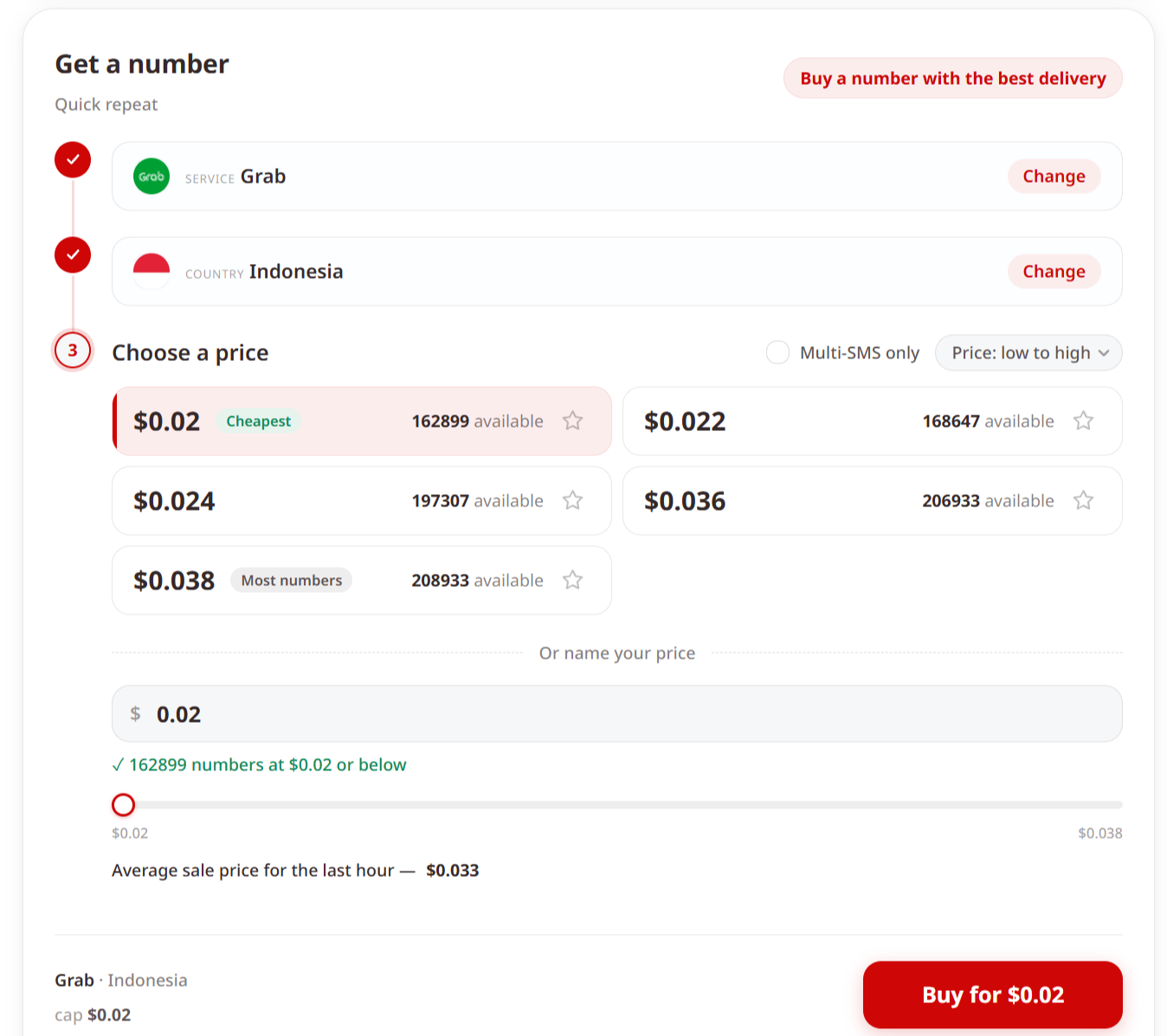
6. Wait for the confirmation SMS to reach Tiger SMS, then copy the code.
7. Enter the code in the app to finish verification.
A few limits are worth remembering. Tiger SMS receives verification codes only, and you are charged solely when the SMS arrives. By default, one number handles one SMS for one service; if you need a single number for several platforms, contact support. The number is meant for the initial confirmation and cannot be used later to recover the account.
Getting Started
Signing up for a delivery service does not have to put your personal number on a marketing list or leave you stuck behind a regional requirement. A virtual number handles the one confirmation code the app needs and keeps your own line out of it. If you want a faster and more private way to receive a delivery-app SMS code, create a Tiger SMS account, choose your service and country, and start verification in a few minutes.