
How to Set Up a Viber Account Without Using Your Personal Phone Number
Contents
Why Does Viber Require a Phone Number?
Common Reasons People Seek Alternatives to Their Personal Number
Practical Ways to Create a Viber Account Without Your Main Number
Temporary Virtual Numbers Best for Quick or One-Off Needs
Fixing Common Verification Issues
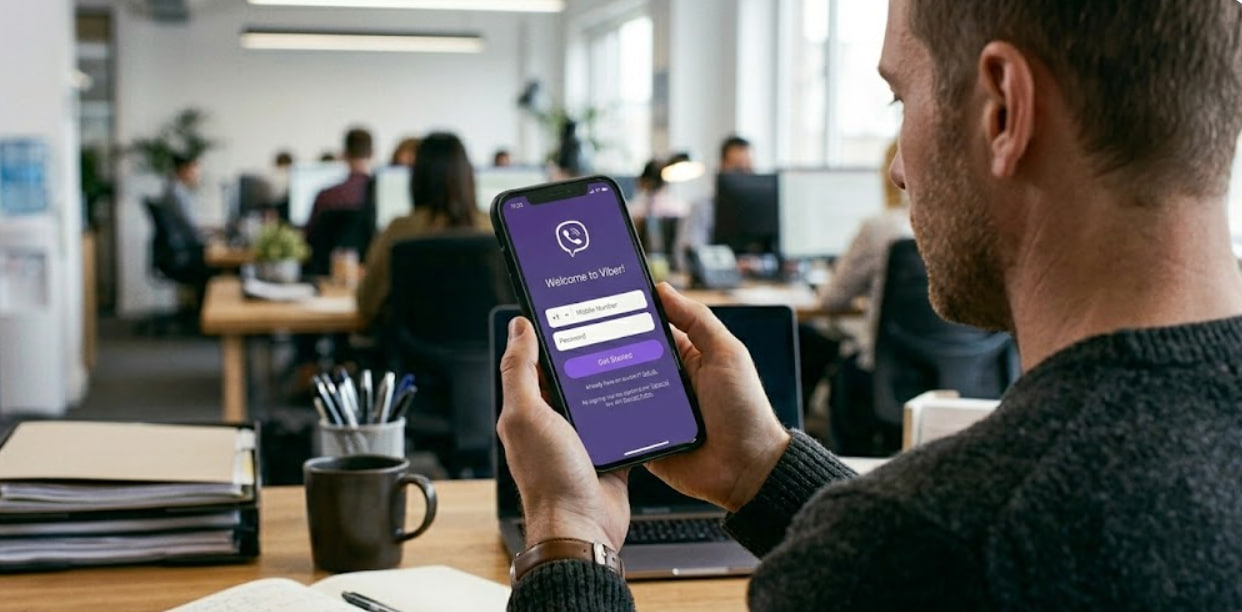
Every month, countless users search for ways to register on Viber without linking their real phone number. Whether it's for enhanced privacy, keeping personal and work communications separate, using the app on a tablet or secondary device, or simply avoiding data exposure across platforms, the demand is clear.
Viber relies on phone numbers as its primary identifier, so a complete bypass isn't possible. However, you can easily avoid your main personal number by using alternatives that protect your privacy while still allowing full access to the app's features.
In this updated 2026 guide from the TIGER SMS blog, we'll cover why Viber requires a number, the real risks involved, and the most effective methods to create an account securely—focusing on options that prioritize control and reliability.
Why Does Viber Require a Phone Number?
Viber's system is intentionally built around phone-based verification for several key reasons:
-
Identity Confirmation and Anti-Spam Protection The number serves as a verifiable proof that a human (not a bot) is registering. This helps curb spam, fake profiles, and malicious activity common on messaging platforms.
-
Initial Activation Process During signup, you enter a number and receive a one-time code via SMS (or occasionally voice call). This step is mandatory and non-negotiable.
-
Account Recovery and Multi-Device Sync If you switch phones, reinstall the app, or need to regain access, Viber sends recovery codes to the registered number. Without control over that number, permanent loss of access is a real possibility.
Phone numbers aren't just a formality—they form the core of Viber's trust and security framework.
Common Reasons People Seek Alternatives to Their Personal Number
Linking your primary phone line raises valid concerns in today's privacy landscape:
-
Exposure of personal data to another service
-
Risk of spam calls/texts or unwanted contacts
-
Blurring lines between private life and professional use
-
Desire to run Viber on SIM-less devices like tablets or Wi-Fi-only phones
-
Need for separate identities for different purposes
With phone numbers acting as unique digital fingerprints, avoiding unnecessary linkages is a smart move for privacy-focused users.
Practical Ways to Create a Viber Account Without Your Main Number
While you must provide some number for verification, you have solid options to keep your personal one completely out of the picture. Leverage temporary virtual numbers from trusted service - TIGER SMS
Temporary Virtual Numbers Best for Quick or One-Off Needs
For situations where you want zero personal involvement, platforms like TIGER SMS provide disposable virtual numbers specifically designed for SMS verification on apps like Viber.
These work as online SMS receivers: you select a number from a supported country, use it during Viber signup, and view the incoming verification code directly on the service's dashboard.
How It Works with TIGER SMS
1. Visit tiger-sms.com and sign up/top up your balance (affordable rates, often starting very low).

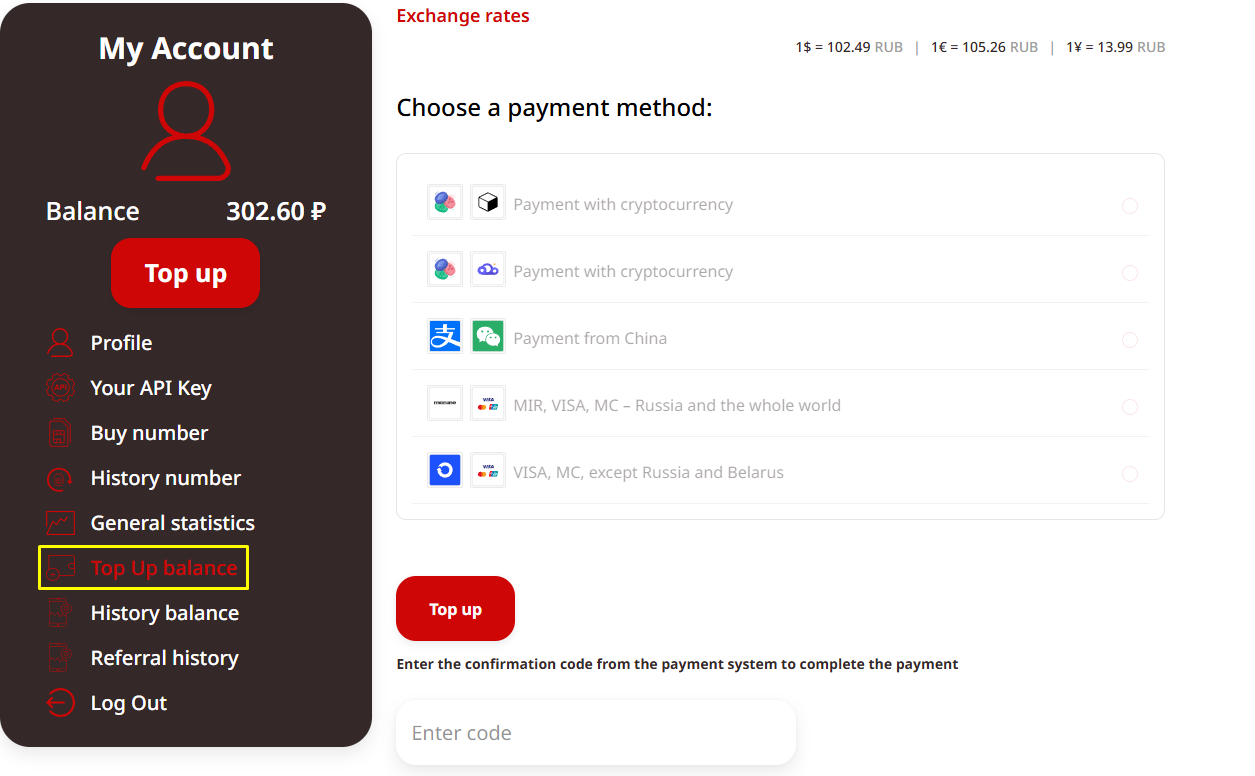
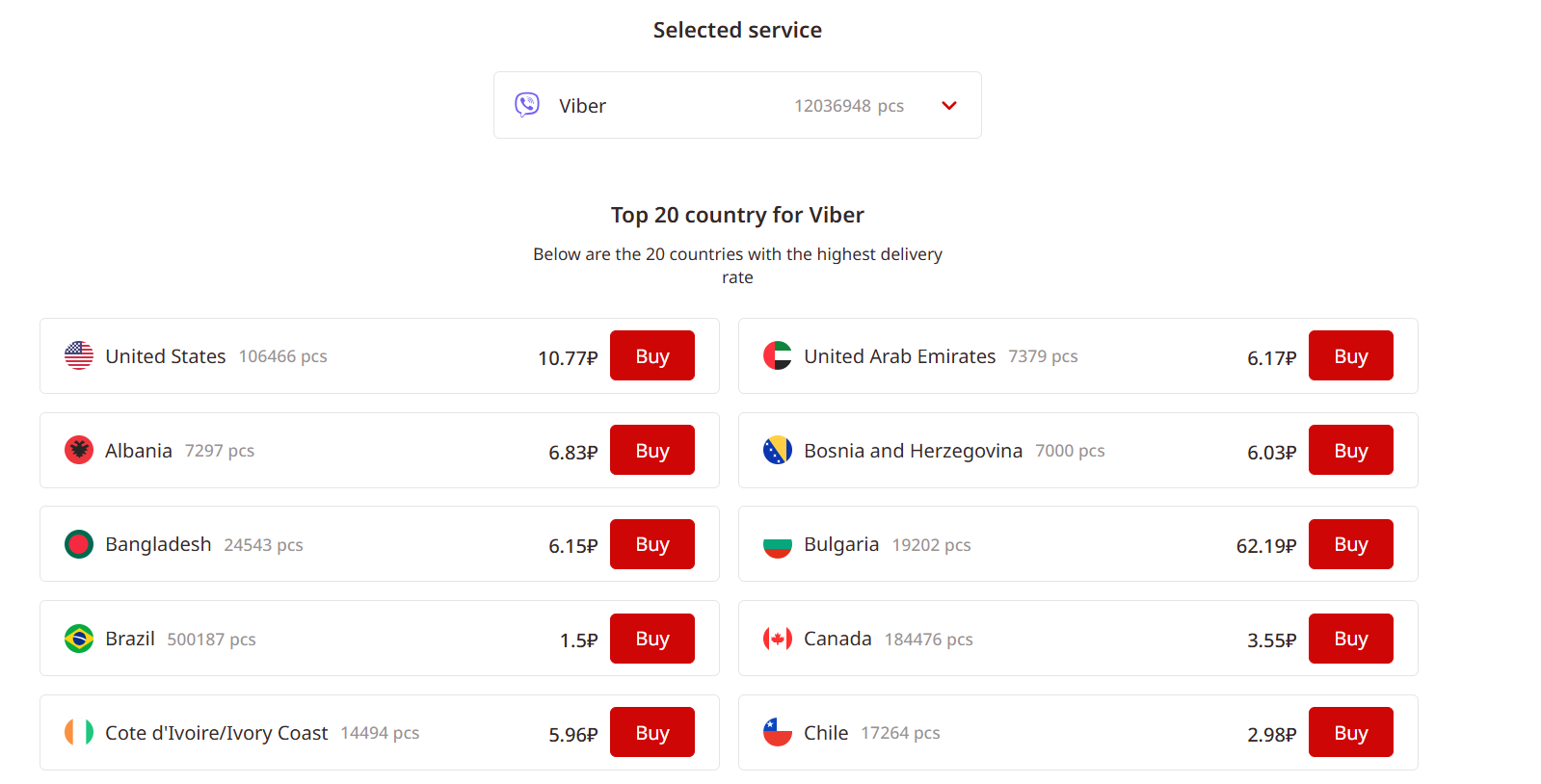
2. Search for Viber in the supported services list and choose a country.
3. Purchase a temporary number for Viber.
4. Enter that number in the Viber app during registration.
5. Refresh the TIGER SMS dashboard to see the incoming SMS code instantly.
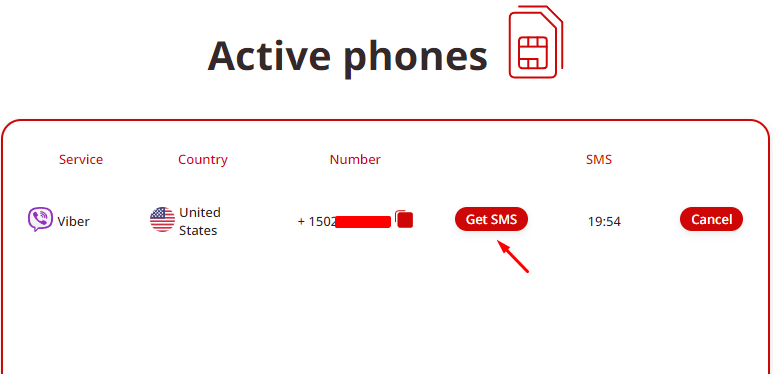
6. Input the code in Viber to complete activation.
Key Benefits
-
Total anonymity—no link to your real identity or number
-
No ysical SIMs or carrier plans
-
Fast setup, often inneed for ph under a minute
-
Great for testing Viber, creating throwaway accounts, or short experiments
| Aspect | Impact on Your Viber Account |
| Ownership | no one can get SMS on that number again |
| Anonymity | business never spam your personal number again |
| Recovery | Often impossible after expiration |
| Longevity | As long as you don’t violate Viber rules |
| Best For | Quick tests, one-time accounts |
| Ideal For | marketing campaigns and ABC tests |
Rule of Thumb: If the number isn't yours to keep, the account isn't fully yours to rely on. Use temporary options only when permanence isn't a priority.
Fixing Common Verification Issues
-
No code arrives: Wait a bit, request resend, or switch to voice call option.
-
"Number in use" error: Pick a fresh number—previous registrations block reuse.
-
Code expires: Act faster or request a new one immediately.
-
Repeated blocks: Pause attempts (Viber may flag suspicious activity); ensure device time/region settings match reality.
Final Thoughts
Viber won't let you skip the phone number entirely, but protecting your personal line is straightforward and worthwhile.
For lasting reliability and peace of mind, go with a secondary number you control—prepaid SIM or eSIM.
If speed and zero personal exposure matter more for a brief setup, TIGER SMS temporary virtual numbers deliver a convenient workaround.
Quick FAQ
Does Viber work over Wi-Fi only after setup?
Yes—once activated, it's fully functional on Wi-Fi; the number is only for initial verification/recovery.
Can I run Viber on a tablet without SIM?
Absolutely—activate on a phone first (using any valid number), then link the tablet as a secondary device.
Is it possible to switch Viber numbers later?
Yes, via settings—but the new number requires fresh verification.
Any email-only registration option?
No, Viber remains strictly phone-number based.