How to Register a PayPal Account with a Virtual Phone Number
PayPal is one of the most popular and advanced payment platforms in the world. It lets you send and receive payments, shop online, pay for services, manage subscriptions, and handle business transactions. It’s fast, familiar, and generally secure. But there’s a catch. Well, actually, a couple of them.
First, PayPal still isn’t available everywhere. If you live in a country where the platform doesn’t operate, registering an account can become a headache. Second, there’s privacy. You may simply not want to attach your personal phone number to yet another online account. Maybe you’re testing a business idea, separating work from personal life, or just trying to avoid sprinkling your private data across the internet.
In both cases, you still need a secure way to receive the verification code and complete registration. That’s where a virtual phone number can come in handy.

Are There Alternatives?
A virtual phone number may be one of the most convenient and safest ways to register a PayPal account, but, to be fair, it’s not the only option on the table.
You could try buying a temporary SIM card. In theory, that sounds simple: buy a SIM, insert it into your phone, receive the verification code, and move on with your life.
However, in many countries, you need to verify your identity before buying a SIM card. That means documents, local registration rules, and a visit to a physical store. If you’re outside the country whose number you need, this option quickly goes from “simple workaround” to something extremely complicated.
Another option is renting a temporary number through random online services. This can work for basic registrations, but it’s risky, especially when money is involved. Many temporary numbers are reused. You may receive a code today, register your account, and then later someone else gets access to that same number. With a throwaway forum account, that’s annoying. With a payment provider like PayPal, it’s the kind of risk you really can’t afford.
Virtual numbers work differently. They operate over the internet and let you receive SMS verification codes through your own account on the service provider’s platform. You don’t need to hunt down a physical SIM card, deal with local mobile operators, or hope that some publicly shared number hasn’t already been abused by half the internet.
That’s why, for many users, virtual numbers feel like the cleaner middle ground: more accessible than buying a SIM card and generally safer than relying on random reused numbers.
How to Get a Virtual Phone Number
Getting a virtual phone number for PayPal through Tiger SMS is pretty straightforward, and you don’t need to wrestle with mobile operators, paperwork, or SIM card seller from a marketplace forum. The whole process can usually be done in several minutes.
First, create an account on Tiger SMS. You only need an email address. It doesn’t have to be from a specific provider, either: you can use Gmail, Outlook, a local email service, or providers from Russia, China, and other countries. That makes the setup more flexible, especially if you’re registering from a region where common payment or communication tools don’t always play nicely.
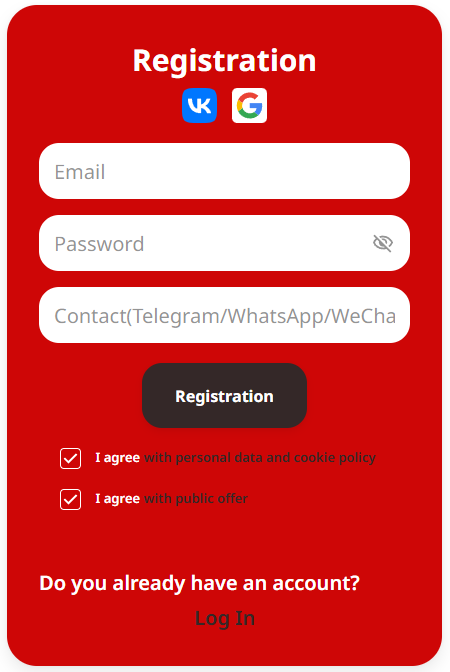
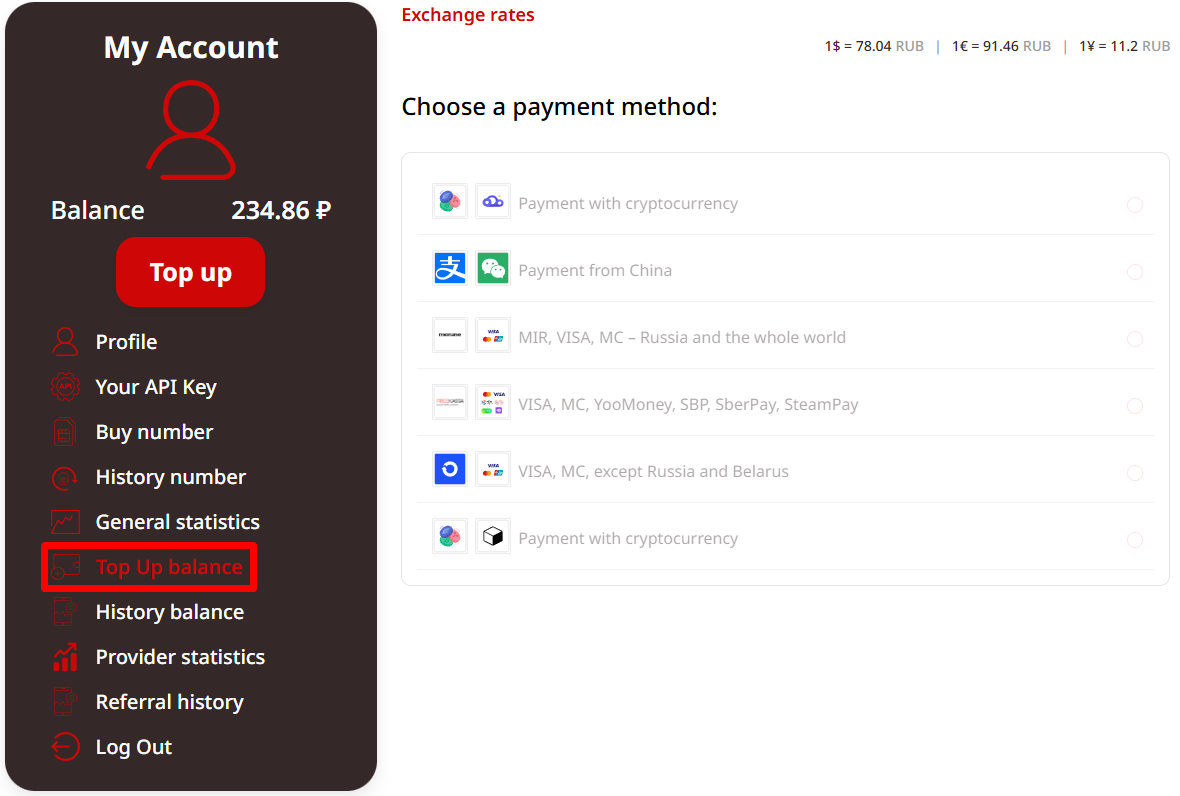
Next, top up your Tiger SMS balance. The platform supports multiple payment methods, including cryptocurrency, so you can choose the option that works best for you. After that, select the service you want to register with — in this case, PayPal.
Tiger SMS will show you a list of available countries whose numbers can be used for account registration. The service provides numbers that are prepared for the selected platform, so the number shouldn’t already be “taken” in that registration flow.
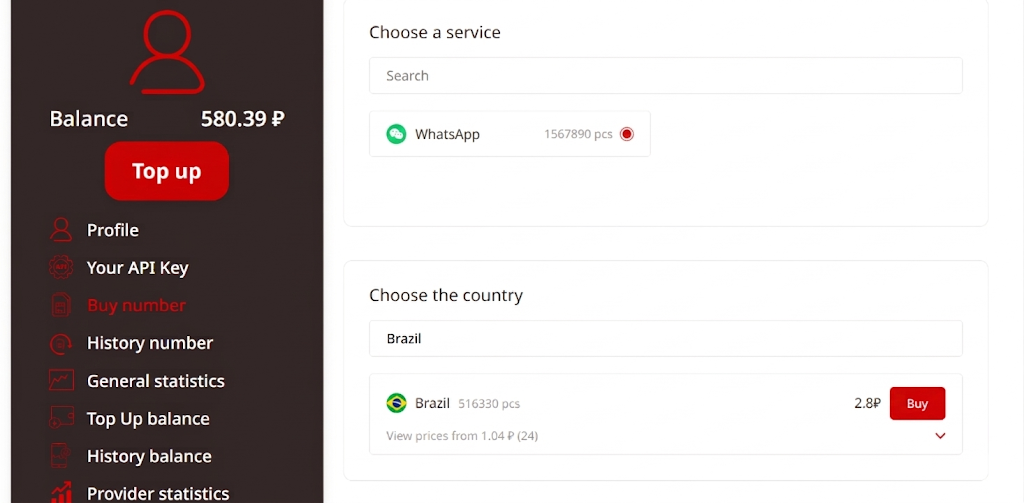
From there, you simply choose the country, buy the number, and keep it ready while creating your PayPal account. Clean, quick, no unnecessary drama.
Full Guide: How to Register PayPal with Tiger SMS
Once you’ve purchased a virtual phone number, go to PayPal and start creating a new account as usual. You can use any email address you prefer. Just make sure you can actually access it, because PayPal may use it for confirmation, login alerts, password recovery, and other account-related messages.
When PayPal asks for a phone number, enter the number provided by Tiger SMS. Don’t change the country code manually unless you know exactly what you’re doing. Use the number in the format shown by the platform, because tiny formatting mistakes can stop the SMS from arriving.
After you submit the number, PayPal should send a confirmation code. Go back to your Tiger SMS account and wait for the message. In most cases, the SMS arrives within minutes. Copy the code, paste it into PayPal, and continue with registration.
One more thing: don’t use the same number for several PayPal accounts. If you need more than one account, buy a second number. It’s cleaner, safer, and far less likely to create a verification mess later.
Conclusion
Registering PayPal isn’t always as simple as clicking “Sign up” and calling it a day. If PayPal doesn’t fully support your region, or if you simply don’t want to use your personal phone number for yet another online account, verification can become a real nuisance.
A virtual phone number gives you a cleaner way to receive the SMS code you need during registration, without buying a physical SIM card or relying on risky reused temporary numbers.
With Tiger SMS, the process is pretty simple: create an account, top up your balance, choose PayPal, select an available country, buy the number, and receive your confirmation code. The whole thing can take just a few minutes, which is exactly how online registration should work in the first place.
Used carefully, though, virtual numbers can make PayPal registration more private, more flexible, and much less of a headache.