
How To Warm Up a WhatsApp Account Using TIGER SMS
Contents
Why TIGER SMS Stands Out for WhatsApp Warm-Ups
Why Fresh WhatsApp Numbers Get Banned So Fast
The Proven 7-Day TIGER SMS WhatsApp Warm-Up Plan

You've just grabbed a fresh virtual number from TIGER SMS and verified your new WhatsApp account. Solid start — but jumping straight into heavy messaging, group invites, or link drops can get your number flagged and banned almost immediately.
In 2026, Meta's anti-spam systems are razor-sharp. They scrutinize new accounts based on behavioral patterns, timing, device fingerprints, IP consistency, and network traits — not just message content. Rush the process, and you're inviting restrictions or permanent bans.
The smart move? Warm up your account gradually to mimic genuine human usage. This guide shows you exactly how to age your WhatsApp profile safely using a reliable, dedicated virtual number from TIGER SMS — the go-to platform trusted for fast, stable SMS reception
What “Warming Up” a WhatsApp Number Actually Means in 2026
Warming up = gradually layering natural activity so Meta's algorithms see you as a legitimate user, not a bot or spam setup.
Key principles:
-
Delay aggressive actions (no instant blasts)
-
Build a full, realistic profile
-
Prioritize incoming interactions early
-
Skip links, mass forwards, broadcasts, or rapid joins
-
Align your IP, timezone, and SIM country for consistency
Goal: Signal organic onboarding — like someone who just got a new SIM and is easing into the app.
Why TIGER SMS Stands Out for WhatsApp Warm-Ups
TIGER SMS delivers temporary stable virtual numbers optimized for demanding platforms like WhatsApp. Unlike recycled free or public numbers that get blacklisted fast, TIGER SMS provides:
-
Dedicated, private numbers — Not shared or overused
-
260+ countries for perfect geo-matching (pick one that aligns with your intended profile)
-
Instant, reliable SMS delivery for initial verification and any follow-up codes
-
Affordable short-term rentals — Ideal for multi-day warm-ups
-
High success on WhatsApp — Numbers hold up well for extended activity without quick flags
This makes TIGER SMS perfect when you need a clean, trustworthy foundation that survives Meta's scrutiny.
Why Fresh WhatsApp Numbers Get Banned So Fast
Meta doesn't ban based on what you say — it bans based on how you behave, especially in the critical first 24–72 hours.
Common red flags include:
-
Messaging strangers or unknowns right away
-
Sending identical/copy-paste texts in bulk
-
Sharing links/media too early
-
Joining tons of groups immediately
-
No profile pic, empty About section, or robotic patterns
-
IP/SIM/timezone mismatches (e.g., US number but Russian IP)
-
Using emulators or tools that scream "automation"
Even a harmless "Hi" can trigger if sent too soon or too broadly.
The Proven 7-Day TIGER SMS WhatsApp Warm-Up Plan
Spread activity over a full week to build trust organically. This timeline is battle-tested by marketers, agencies, and power users managing multiple accounts without bans.
Why 7 days? Most restrictions hit early (first 48h), but consistent low-key use over 5–7 days solidifies "human" status.
Day 1 – Pure Passive Setup
Just exist — no outgoing activity.
Do:
-
Upload a natural profile photo (realistic selfie, no logos/emojis)
-
Set a believable name
-
Add a casual "About" line (e.g., “New phone, getting set up”)
-
Stay online in the app for 20–40 minutes
-
Ensure your IP matches the number's country (use a proxy/VPN if needed; TIGER SMS country selection helps here)
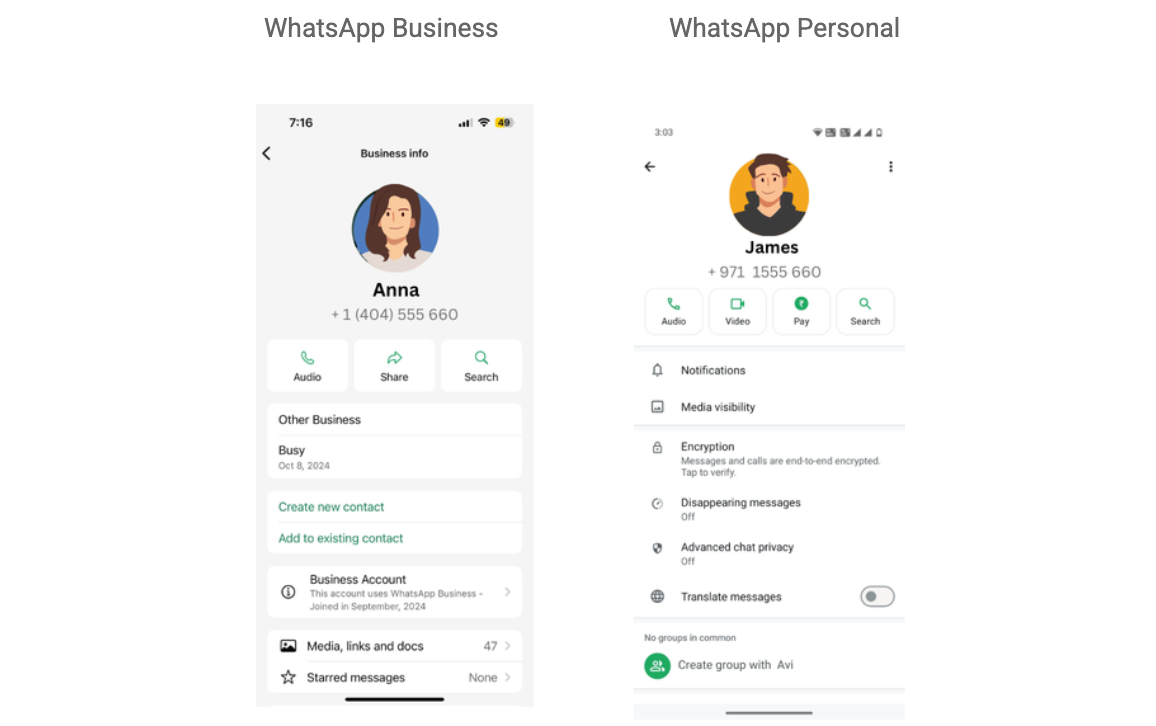
Avoid:
-
Any messages
-
Opening/scrolling many chats
-
Switching devices or networks suddenly
Goal: Create a quiet, believable footprint.
Day 2 – Invite Gentle Incoming Traffic
Let messages find you first.
Do:
-
Have 1–2 incoming messages arrive (from your main number, a friend, or controlled test account)
-
Wait 45–90 minutes before replying — keep it short (“Hey!”, “Yo”)
-
Join one small, quiet group (<20 members, low activity)
-
Stay active in-app for 20+ minutes total

Skip:
-
Initiating chats with strangers
-
Any media, voice notes, or links
-
Posting/group replies yet
Goal: Show reactive, not proactive, behavior.
Days 3–7 – Gradual, Natural Ramp-Up
Day 3:
-
Reply in the group with a sticker or emoji
-
Share a light meme (keep it non-promotional)
-
Still avoid starting new 1:1 chats

Day 4:
-
Message one known contact briefly
-
Join a second low-key group
-
Receive (and respond to) a voice note or photo
Days 5–7:
-
Update profile pic if desired (keep it current-looking)
-
Post 1–2 simple status updates (photo of food, view, casual text)
-
Forward a fun meme to 2–3 close contacts max
-
Mix in occasional voice replies
-
Introduce realistic pauses (offline for hours, then back for 30–60 min sessions)

Goal: Mirror everyday usage — sporadic, varied, human-paced engagement.
Advanced Tips for TIGER SMS WhatsApp Users
-
Vary patterns across accounts — Different names, photos, reply styles, warm-up speeds if running multiples
-
Log everything — Track activation date, country/IP, daily progress, device details in a spreadsheet
-
Ditch free/public numbers — Overused ones get flagged instantly; TIGER SMS dedicated options stay cleaner longer
-
Geo-align everything — Choose a TIGER SMS number from the same region as your proxy/timezone for max consistency
-
Monitor health — If activity feels off, pause and reassess before ramping up
Launch Your WhatsApp Safely with TIGER SMS
Meta's 2026 spam defenses are tougher than ever — but slow, human-like warm-ups + a high-quality virtual number from TIGER SMS give you the edge.
Whether for business outreach, multiple profiles, privacy separation, or testing, start with TIGER SMS: grab your number, verify, then follow this 7-day plan religiously.
Head to tiger-sms.com today — select WhatsApp, pick your country, top up, and build accounts that last. Stay under the radar, scale smart, and keep your communications private and ban-proof.