
How to get a Brazilian Number for Google Registration in 2026?
Contents
Why Choose a Brazilian Number to Register Google?
Detailed Steps to Get a Brazilian Virtual Number on TIGER SMS
Step 3: Purchase a Brazilian Number
Guide to Registering a Google Account Using a TIGER SMS Brazilian Virtual Number
Step 1: Visit the Google Registration Page
Step 2: Enter the Virtual Number
Step 3: Receive and Enter the Verification Code
Post-Registration Optimization Recommendations

In 2026, registering a Google account (for Google, YouTube, Gmail) often requires phone number verification via SMS—especially when targeting overseas markets or managing multiple accounts. Brazilian numbers (+55) are particularly popular due to their “warm” regional attribute, helping accounts better integrate into the Latin American ecosystem, reducing the likelihood of triggering risk controls, and making them ideal for creating localized content. If you don’t have a real Brazilian phone number, don’t worry—virtual number services are the best solution. This article explains in detail how to obtain a Brazilian virtual number through the TIGER SMS platform for Google registration. The entire process is anonymous, secure, and fast.
Why Choose a Brazilian Number to Register Google?
Brazil is the largest economy in Latin America, and its numbers enjoy high trust levels within the Google system. Registering with a +55 number makes your account appear as a Brazilian user, which facilitates access to local search results, ad campaigns, or YouTube channel optimization.
Brazilian numbers are commonly used to bypass certain geographic restrictions and avoid frequent verification prompts. According to 2026 data, Google has become stricter in detecting repeated or public numbers, making professional virtual number platforms like TIGER SMS the top choice. They provide numbers that simulate real operators, ensuring fast and reliable SMS code delivery.
What is a Virtual Number?
A virtual number is a cloud-based temporary phone number that does not rely on a physical SIM card—it is generated through an online platform. It can receive SMS verification codes from services like Google for account registration, verification, or recovery. Virtual numbers are completely anonymous, can be purchased in just a few minutes, and discarded after use. Their advantages include: privacy protection (no real personal information required), low cost (usually just a few cents), support for multiple accounts (ideal for bulk registration), and bypassing regional restrictions. In 2026, with strengthened privacy regulations, virtual numbers have become a mainstream tool, especially for Google services.
What is TIGER SMS?
TIGER SMS is one of the most reliable virtual number providers in 2026, supporting numbers from over 260 countries—including Brazil (+55)—and optimized specifically for SMS activation on more than 200 platforms such as Google, YouTube, and Gmail.
Platform features include: extremely fast SMS delivery (usually 1–2 minutes, comparable to a regular SIM card), high success rates (optimized for Google services), support multiple recharge methods (bank cards, e-wallets, cryptocurrency), fees deducted only after receiving the code (instant refund if no code arrives), API interface for bulk registration, and a free test numbers section. Brazilian numbers are affordably priced (starting at about $0.03 or a few RUB), making them especially suitable for creating Latin America-targeted Google accounts with fast, anonymous registration.
Detailed Steps to Get a Brazilian Virtual Number on TIGER SMS
TIGER SMS is very easy to use—just three main steps: register, top up, and purchase. The whole process requires no real phone number and is done purely with email.
Step 1: Register an Account
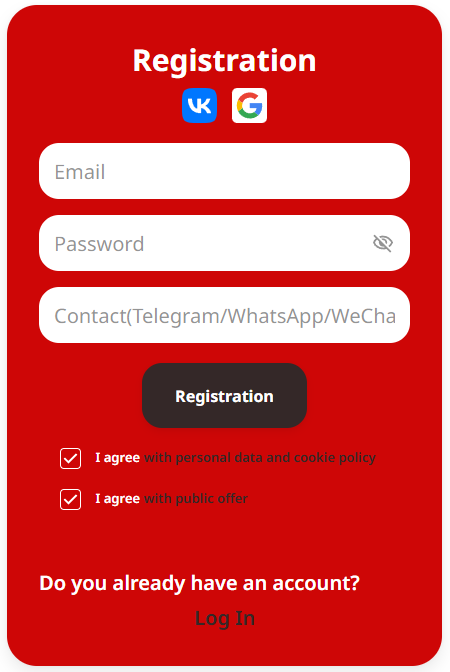
Open your browser and visit the TIGER SMS official website. Click the “Register” button, enter your email address, username, and password. No personal data or phone number is required—click confirm to complete registration (takes less than 1 minute). Anonymous registration greatly protects your privacy and security.
Step 2: Top Up Your Balance
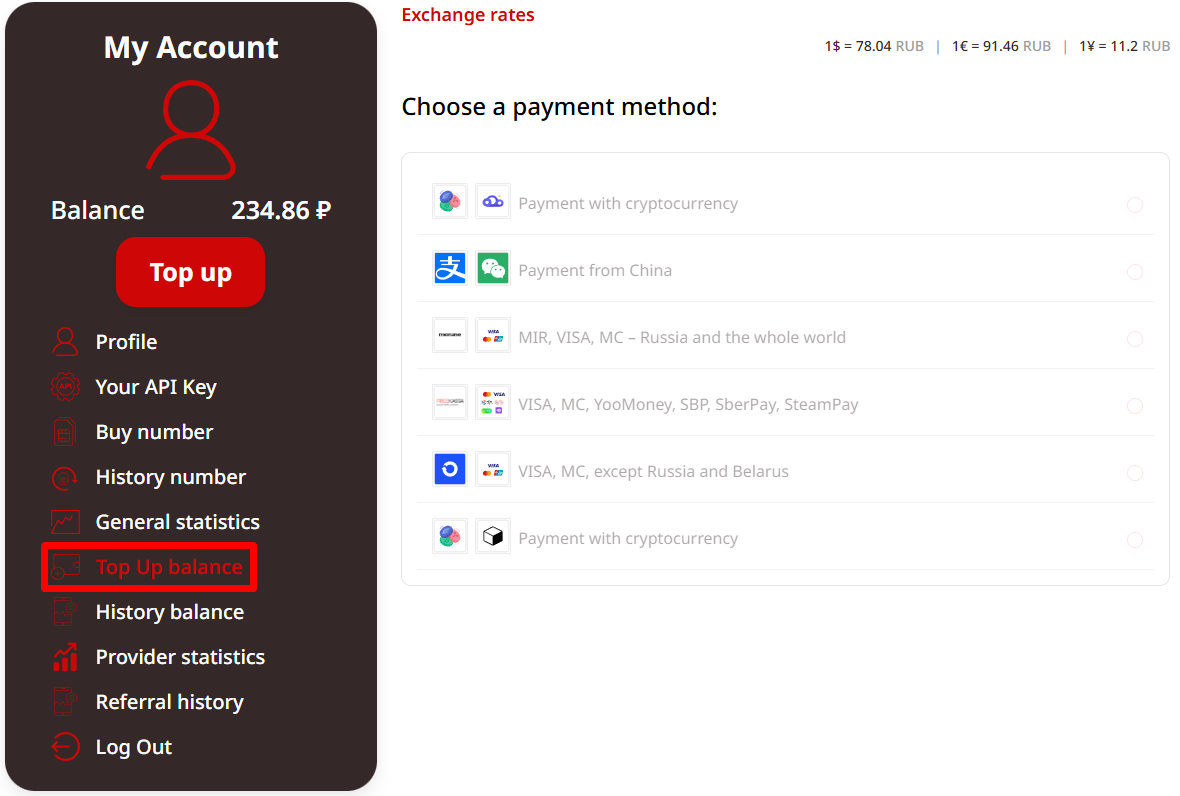
After logging in, go to the “Recharge” or “Top Up” page. The minimum top-up amount is very low (starting at 30 RMB). Choose your preferred payment method: Alipay, bank card, credit card, e-wallets (such as WebMoney), or cryptocurrency (such as Bitcoin). Enter the desired amount, click “Recharge,” and the balance arrives instantly. The platform has minimal fees, ensuring efficient use of funds.
Step 3: Purchase a Brazilian Number
After recharging, go to the homepage or “Buy Number” section. Use the filters to select:
-
Country: Brazil (+55)
-
Service: Google (or YouTube/Gmail if there is a dedicated category—selecting the specific one can improve success rate)
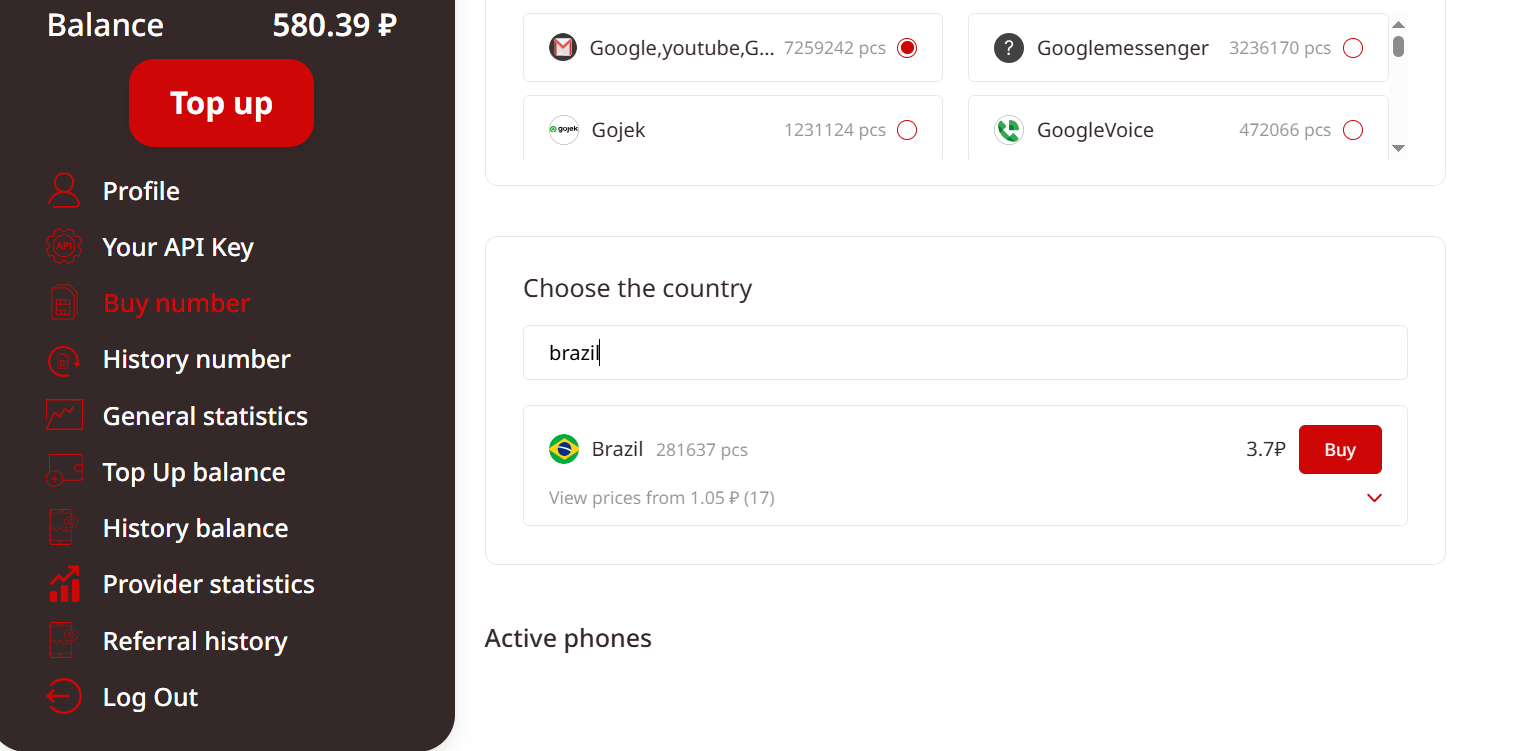
Click “Buy”—the system will allocate a brand-new virtual Brazilian number (format: +55xxxxxxxxxx) within 1–2 seconds. Copy the number for later use. For bulk needs, you can automate acquisition through the API interface—ideal for enterprise users.
Guide to Registering a Google Account Using a TIGER SMS Brazilian Virtual Number
Once you have the number, you can start the Google registration process. It is safe, efficient, and avoids leaking personal information.
Step 1: Visit the Google Registration Page
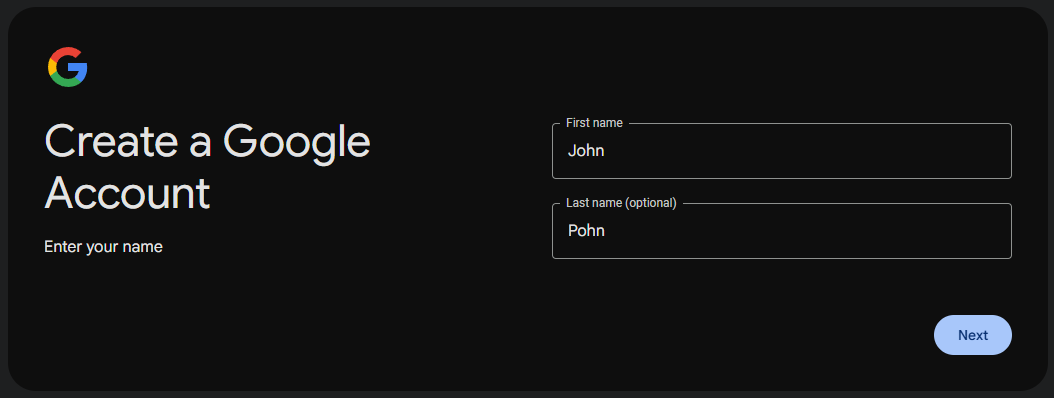
Open google.com or the Gmail/YouTube registration entry point. Click “Create account” and fill in basic information such as name, birthday, username, etc.
Step 2: Enter the Virtual Number
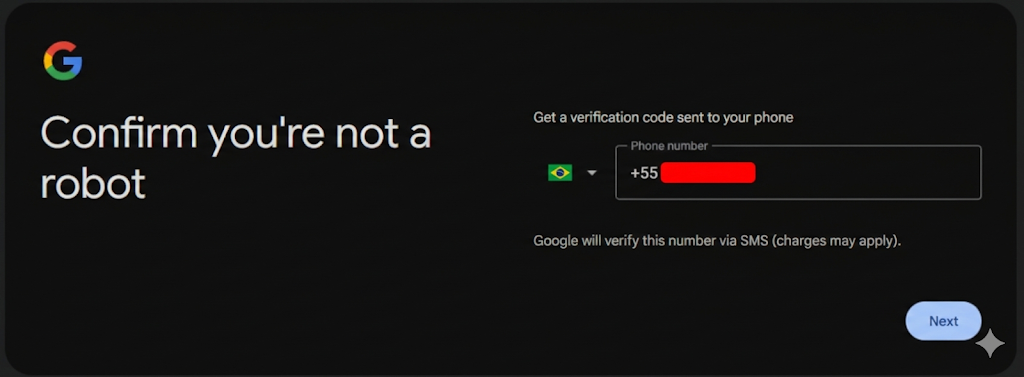
At the phone number verification step, select “Use phone number” and paste the Brazilian virtual number copied from TIGER SMS. Click “Next”—Google will send a 6-digit verification code via SMS.
Step 3: Receive and Enter the Verification Code
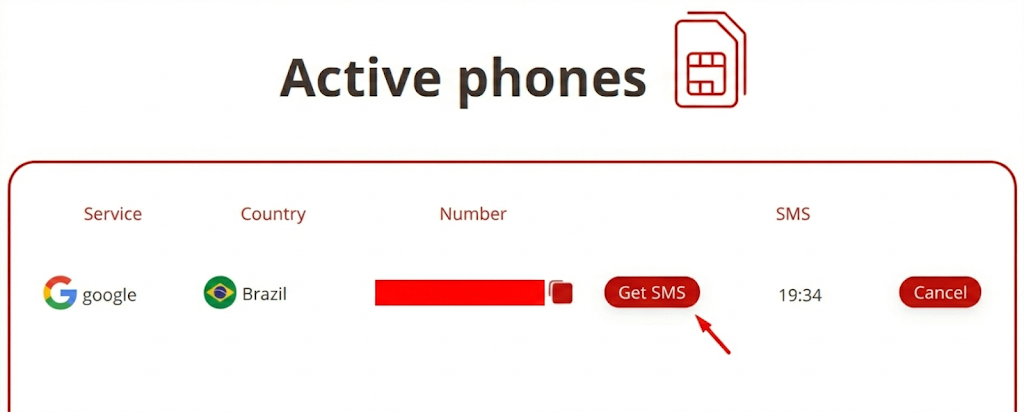
Quickly return to your TIGER SMS personal center and check the “Buy Number” or purchase history section. The SMS usually arrives within 1–5 minutes. If it doesn’t arrive after the expected time, click the “Cancel” button—the funds will be instantly refunded to your balance, and you can purchase a new number. Copy the code, enter it on the Google page, and click verify—account registration successful.
Post-Registration Optimization Recommendations
-
Immediately enable two-step verification using the Google Authenticator app (not SMS) to increase security.
-
Gradually complete your profile: add recovery email and options—avoid performing too many actions at once to prevent triggering risk controls.
-
Pair with a VPN or proxy: Use a Brazilian IP proxy to ensure your login location matches the number’s country, further reducing detection risk.
-
If used for YouTube or advertising: Brazilian numbers unlock localized features, such as recommendation algorithms targeted at Latin American audiences.
Advantages and Notes for TIGER SMS (2026 Update)
TIGER SMS maintains its leading position in 2026: number inventory exceeds 100,000, ensuring constant availability; quality guaranteed (no deduction if SMS not received); 24/7 customer support; loyalty programs (e.g., bulk discounts). Brazilian numbers are particularly suitable for Google Brazil site or Latin American market operations, starting at just 3 cents—excellent value for money.
Notes:
-
Always use a VPN that matches the country to avoid Google detecting location mismatch, which can delay codes.
-
Use each number only once to prevent repeated verification on the same number.
-
If a number becomes invalid, the platform will provide a replacement; numbers are not resold, ensuring freshness.
-
Bulk users can integrate the API for automated registration and higher efficiency.
Comparison with Other Ways to Obtain Brazilian Numbers
Besides TIGER SMS, there are free public numbers (such as online SMS receivers), but these are often already blacklisted by Google, resulting in near-zero success rates. Physical SIM cards require international roaming, are expensive, and not anonymous. In comparison, TIGER SMS is the optimal choice: anonymous, fast, low-cost, and reliable.
Conclusion: TIGER SMS Makes Google Registration Simpler
In 2026, when privacy and convenience are equally important, using TIGER SMS to obtain a Brazilian virtual number easily solves the Google registration challenge. Whether for individual users or enterprise operations, this is an efficient tool. Give it a try now—wishing you smooth account creation and the ability to explore even more Google features!