Incogniton Review: An Antidetect Browser for Managing Multiple Profiles

Incogniton Review: An Antidetect Browser for Managing Multiple Profiles
Working with multiple online accounts today usually runs into the same wall: your browser and IP address make it too easy for platforms to link separate accounts together. A regular Chrome or Firefox install leaks dozens of parameters to every site it visits — canvas rendering, WebGL output, fonts, timezone, screen resolution — and platforms use that fingerprint to figure out that five "different" accounts are actually run by the same person.
Antidetect browsers exist to solve exactly this problem: they spoof the device's digital fingerprint so each profile looks like an independent, separate machine. Incogniton is one of the longer-running players in this space, and this review covers how it works, who it's built for, pricing, and what to watch out for before buying.
What Is Incogniton?
Incogniton is a Chromium-based antidetect browser developed by a team based in the Amsterdam area, first released in early 2020. In practice, it's a layer on top of a standard browser that lets you open dozens of isolated "profiles" — each with its own cookies, local storage, history, and, most importantly, its own unique digital fingerprint.
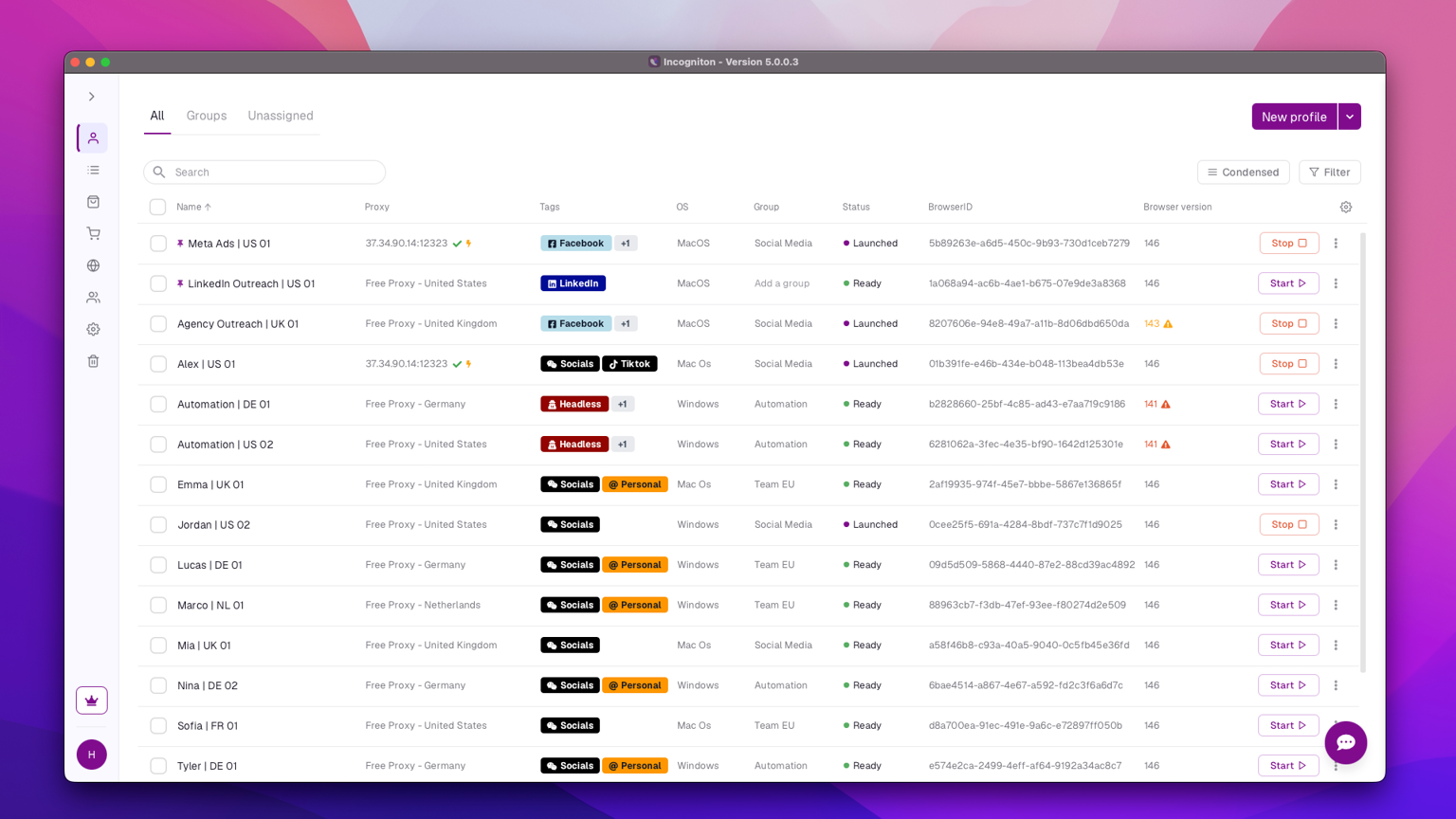
Each profile opens in its own dedicated Chromium-based window. Everything that happens inside it — cookies, logins, browsing history — stays isolated from your other profiles, and the session saves automatically when you close the window. From the outside (a website, an ad platform, a fraud-detection system), it looks like different people are working from different devices.
Incogniton Features
Deep Fingerprint Customization Every profile gets a unique, spoofed browser fingerprint — a combination of canvas data, WebGL output, audio context, installed fonts, screen resolution, timezone, language, and dozens of other signals platforms use to identify and track users. You can tweak these parameters manually or let the tool auto-generate realistic values.
Built-In Fingerprint Testing Profiles can be checked against tools like BrowserLeaks, Pixelscan, and BrowserScan, which Incogniton integrates directly — so you can verify fingerprint health without leaving the browser.
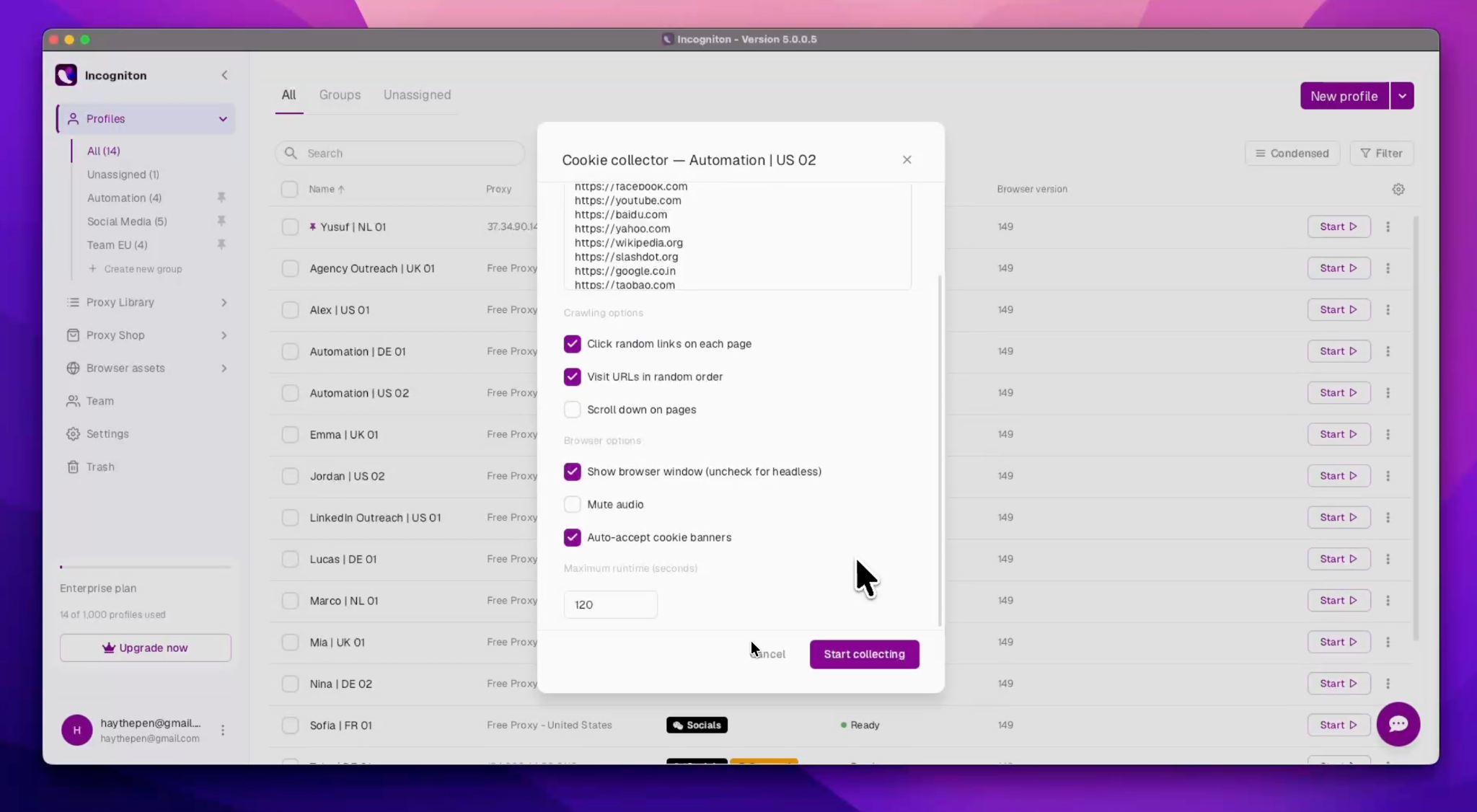
Cookie Collector This is one of the platform's more underrated features. A brand-new account with zero browsing history tends to look suspicious to platform algorithms. Cookie Collector automatically builds organic-looking cookies for a profile, giving it a more natural footprint before you even start using it.
Synchronizer For repetitive work across many profiles, Synchronizer records a sequence of actions once — logging in, filling forms, navigating pages — and replays it across multiple profiles at the same time, with no coding required. It's currently Windows-only.
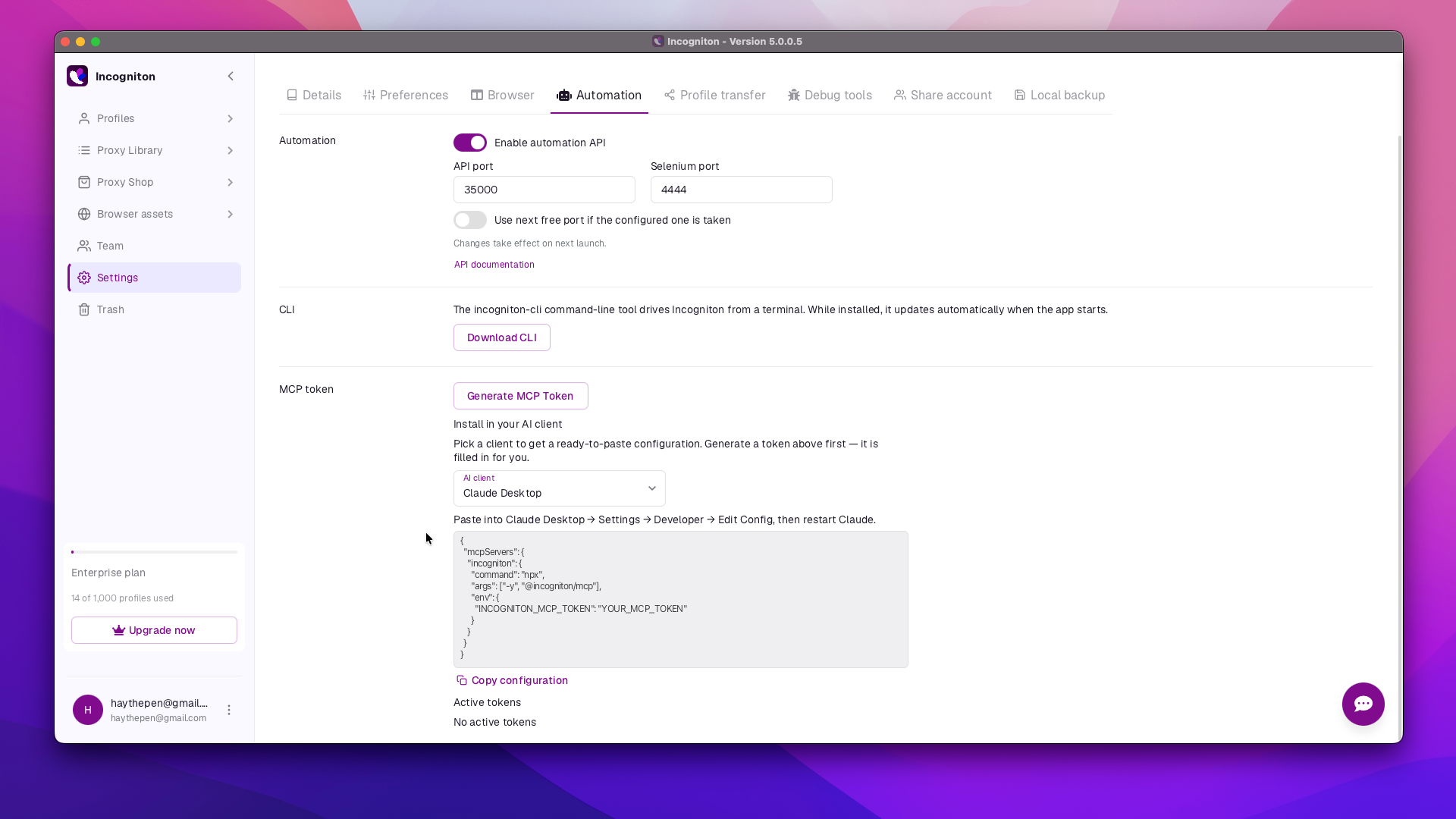
API and Developer Automation Incogniton integrates with Selenium and Puppeteer for more advanced automation, and its REST API is well documented enough to plug into custom scripts and multi-step workflows for technically inclined users.
Team Collaboration Shared workspaces come with role-based permissions — an admin can create profiles and hand out access to specific team members without sharing raw login credentials. That's useful for agencies running client accounts, or teams where different people own different storefronts or channels.
How to Use the Platform
Getting started is fairly straightforward:
-
Install the desktop app (Windows or macOS).
-
Create a new profile and set its fingerprint parameters — country, OS, timezone, screen resolution.
-
Attach a proxy matching the target region.
-
Optionally, run Cookie Collector to warm up the profile.
-
Work inside the isolated browser window; the session persists between launches.
Who Is Incogniton Built For?
The core audience is anyone running more than one account on platforms sensitive to repeat sign-ups:
-
Agencies and SMM teams managing social accounts for multiple clients
-
Marketplace sellers running several storefronts on the same platform
-
Traffic arbitrageurs and affiliate marketers
-
Developers and QA testers who need to check site behavior from different regions
-
Privacy-conscious users who want to keep personal and work accounts separate
-
Crypto enthusiasts, to participate in airdrop activities
Incogniton Pricing
|
Plan |
Price |
Profiles |
Notes |
|
Free / Starter trial |
$0 |
10 profiles for 2 months, then 3 |
Selenium/Puppeteer API, basic features |
|
Starter |
from $19.99/mo |
10 |
Basic support |
|
Entrepreneur |
from $29.99/mo |
50 |
Basic API access, profile sync on Windows |
|
Professional |
from $79.99/mo |
150 |
Up to 3 team members |
|
Custom |
from $149.99/mo |
up to 5,000 |
Tailored terms |
Worth flagging: the published prices don't include a 20% VAT, which gets added at checkout — so the final invoice runs noticeably higher than the sticker price. Several review sites carry a recurring 15% discount code, so it's worth checking before you buy.
What's Less Polished
No tool is without rough edges, and Incogniton has a few.
The interface hasn't changed much in years. Even the current release still looks dated, and it's clear the team has put more effort into the technical side than the UI.
Synchronizer only works on Windows, and some macOS users report issues with system verification at launch.
There's no mobile app — everything is tied to a Windows or macOS desktop, with no cloud-based web version for managing profiles on the go.
Support is limited to email and Telegram, which can be slower than the 24/7 live chat some competitors offer. There's also no refund policy on paid plans, offset somewhat by a generous free tier for testing things out first.
It's also worth noting the company's track record includes a past user data breach. No new incidents have been reported since, but there isn't much public detail on how it was resolved.
Final Verdict
Incogniton is a solid, well-established option for anyone who needs to run several isolated browser profiles without paying enterprise-level prices for it. The free tier is generous enough to actually validate your workflow before committing to a paid plan, and the depth of Selenium/Puppeteer integration makes it workable for both newcomers and people building more automated pipelines.
The main downsides are the dated interface, the lack of mobile access, and the VAT that isn't reflected in the advertised price. If you're comfortable configuring fingerprint settings by hand rather than hunting for the most streamlined UI on the market, Incogniton earns a spot on the shortlist alongside GoLogin and Multilogin.