How to Register an Amazon Account Using a Virtual Phone Number
Contents
Why Would You Want to Use Virtual Numbers to Register an Amazon Account?
Full Guide: How to Register an Amazon Account With Tiger SMS

Amazon feels almost universal until you try to use it from a country where it doesn’t fully work. You may run into registration limits, phone verification issues, or simple privacy concerns. And if you need more than one account for personal shopping, business testing, regional access, or separate projects, using your main SIM card for everything won’t work.
A virtual phone number for Amazon can help you receive the SMS verification code without exposing your personal number or buying a separate physical SIM.
This doesn’t mean you’re doing something shady. A temporary number is simply a tool for registration and verification. You choose a country, get a number from that country, receive the code, and create your account with those details. Amazon may still use other checks, like your payment method, IP address, shipping address, device history, and account activity.
In this guide, we’ll look at why people use temporary numbers for Amazon registration, how Tiger SMS helps with that, and how to set everything up step by step.
Why Would You Want to Use Virtual Numbers to Register an Amazon Account?
The first reason is privacy. A proper virtual number is different from those public temporary numbers you may find floating around online. When you use Tiger SMS, the number is available only to you during verification, and it isn’t handed to another random user afterward. That means that your account won’t be exposed to someone who later receives the same number. You also won’t waste time wondering whether that number already has an Amazon account attached to it.
A virtual phone number for Amazon also gives you more control when you need to register from a specific country or simply don’t want to use your personal SIM card.
The second reason is coverage. Virtual numbers aren’t limited to one platform. You can use them for many popular services, including WhatsApp, Amazon, PayPal, and plenty of others. That’s useful if you want to separate personal accounts from work accounts, test different regions, manage business activity, or just keep your digital life a bit cleaner. Sometimes one account is enough. Sometimes it isn’t.
And then there’s price. With Tiger SMS, you pay only for the messages you actually receive. Compare that with buying a physical SIM card, activating it, dealing with local ID requirements, roaming, top-ups, and all the other tiny joys of telecom bureaucracy. In many countries, getting a separate SIM is either expensive, inconvenient, or complicated for no good reason. A virtual number is faster, cheaper, and far less annoying.
Full Guide: How to Register an Amazon Account With Tiger SMS
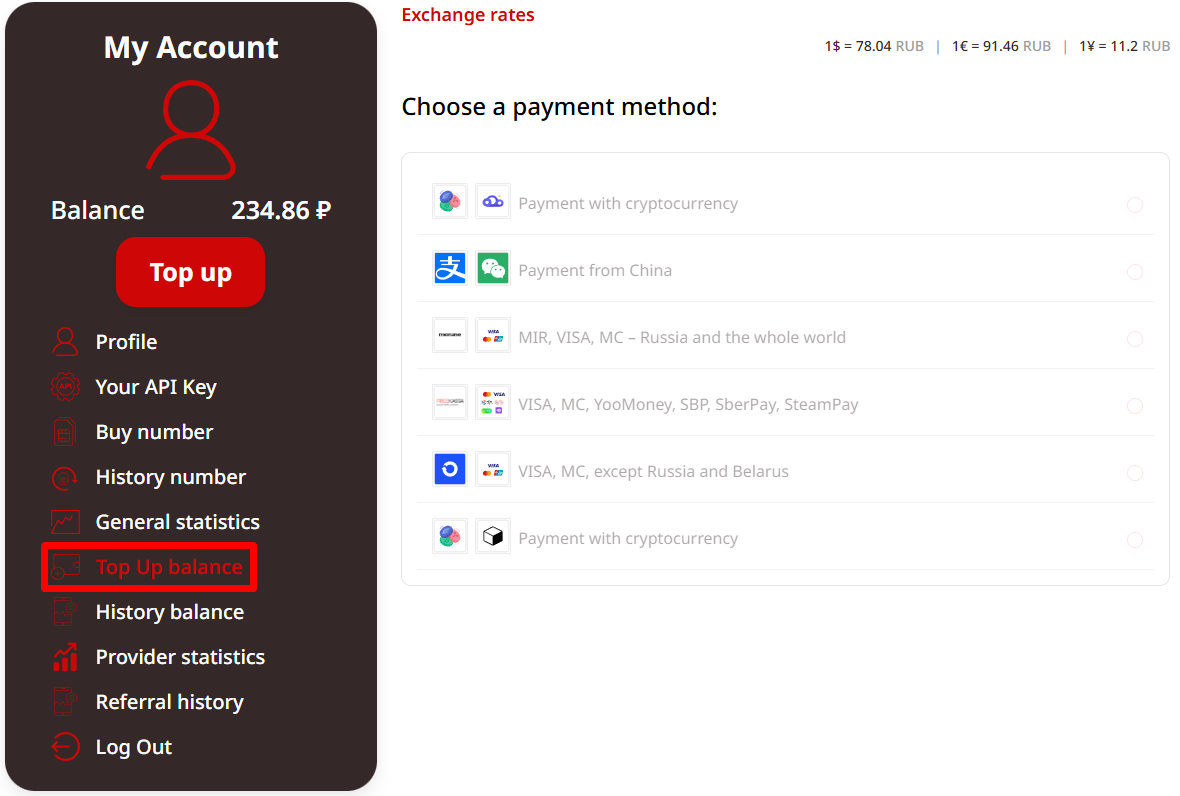
Creating an Amazon account with Tiger SMS is pretty straightforward, and you don’t need to wrestle with any complicated settings. First, create an account on Tiger SMS. You only need an email address, and you can use almost any provider you prefer. After that, top up your balance. Tiger SMS supports several payment methods, including bank cards, online payment systems, and cryptocurrency, so you can choose whatever works best in your region.
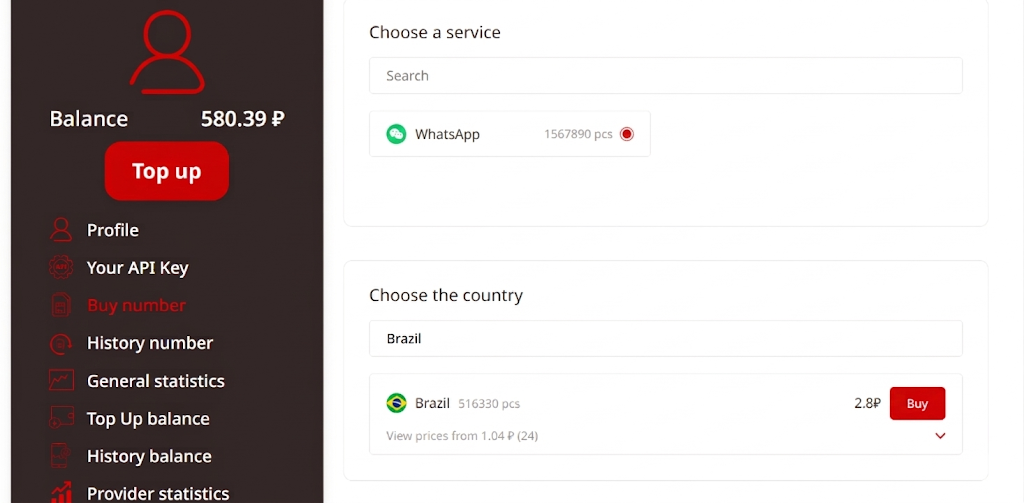
Next, go to the service list and select Amazon. The platform will show you available countries and prices. Pick the country you need, buy the number, and keep the Tiger SMS page open. You’ll need it in a minute to receive the confirmation code.
Now open Amazon and start the registration process. Enter your name, email address, password, and the number you received from Tiger SMS. A virtual phone number for Amazon lets you receive the SMS verification code without using your personal SIM card.
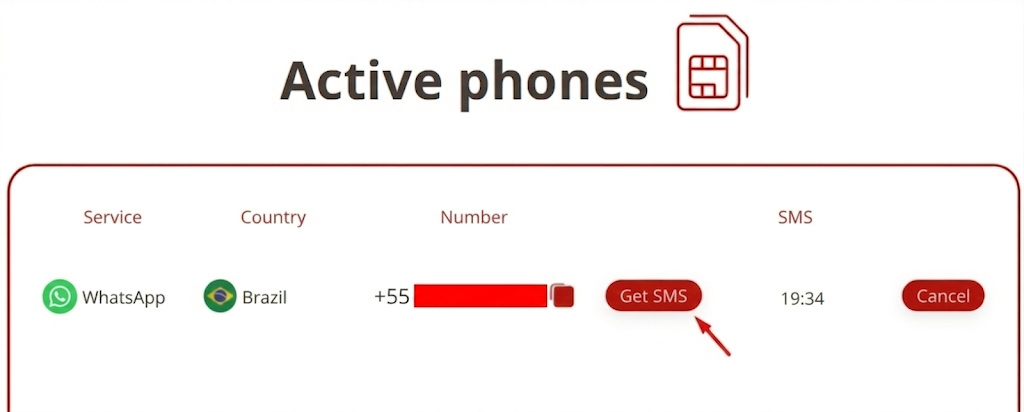
Once Amazon sends the code, return to Tiger SMS and wait for the message to appear. In most cases, it arrives quickly, though sometimes SMS delivery takes a little patience — because, well, technology enjoys reminding us who’s boss. Copy the code, paste it into the Amazon verification field, and complete the registration.
That’s it. You now have an Amazon account created with a number from the country you selected. Using a virtual number doesn’t violate rules by itself: you’re simply registering an account with a phone number from that region. Just keep in mind that Amazon may still check other details later, such as your payment method, delivery address, login location, or account activity. So it’s better to keep your information consistent and avoid suspicious behavior right after registration.
Conclusion
Registering an Amazon account isn’t always as simple as typing in your email and calling it a day. Depending on where you live, what services Amazon supports in your region, and how much personal data you’re willing to share, phone verification can become a small but irritating hurdle. Not the end of the world, sure — but still annoying enough to make you look for a cleaner solution.
That’s where Tiger SMS comes in. Instead of buying a physical SIM card, dealing with local operators, or using sketchy “free SMS” pages where privacy basically leaves the room and never comes back, you can get a private number for registration in just a few clicks.
A virtual phone number for Amazon helps you receive the verification code, protect your personal SIM, and create an account from the country connected to the number you selected.
The big thing to remember is this: using a virtual number doesn’t automatically violate Amazon’s rules. You’re not hacking anything or sneaking through a secret tunnel. You’re simply registering with a number from a specific country. Still, Amazon may check other details too, so keep your account information consistent and use it responsibly.
If you want a faster, cheaper, and more private way to pass SMS verification, start using Tiger SMS today. Choose Amazon, pick the country you need, receive your code, and finish registration without turning the whole thing into a telecom side quest.