
Multiple Amazon Accounts with Virtual Numbers
Contents
Can You Have Multiple Amazon Accounts?
Why Would You Want Multiple Amazon Accounts?
Does Amazon Allow Multiple Accounts?
How to Manage Multiple Amazon Accounts Without Getting Banned
How to Open a Second (or Additional) Amazon Account
The Role of Amazon’s Household Feature
How to Avoid Getting Banned by Amazon

Amazon remains one of the largest online marketplaces globally, attracting sellers, buyers, and business owners who often need multiple accounts to organize different activities effectively.
While managing several accounts is feasible, Amazon enforces strict policies to avoid abuse. This updated 2026 guide explains how to create and manage multiple Amazon accounts safely and in full compliance with their terms.
Can You Have Multiple Amazon Accounts?
Yes, but only under specific conditions. Amazon permits multiple accounts when they serve legitimate, distinct purposes — most commonly for professional sellers handling separate brands, product lines, or businesses. However, Amazon strictly limits individuals to one personal buyer account per person.
Violating this by creating duplicate personal accounts for misuse (such as review manipulation or fraud) often leads to permanent suspension of all linked accounts.
Why Would You Want Multiple Amazon Accounts?
Multiple accounts offer real advantages for organized operations:
-
Separate Business Ventures — Sellers use distinct accounts for different brands, niches, or regional stores.
-
Personal vs. Business Separation — Keeps shopping history, recommendations, and tax records clean and easy to manage.
-
Multiple Seller Accounts — Enables targeted marketing and inventory control for varied product categories.
Does Amazon Allow Multiple Accounts?
Amazon does allow multiple accounts, especially seller accounts, but requires approval for additional seller profiles and proof of legitimate business separation. Personal buyer accounts remain restricted to one per individual — any detected duplicates risk full account termination.
How to Manage Multiple Amazon Accounts Without Getting Banned
Amazon uses advanced detection (IP tracking, device fingerprinting, linked data) to spot policy violations. To stay safe:
-
Use unique emails and phone numbers for every account.
-
Avoid shared payment methods, billing addresses, or shipping details across accounts.
-
Separate IP addresses and devices — tools like residential proxies, VPNs (with caution), or antidetect browsers help.
-
Rely on TIGER SMS for reliable virtual phone numbers during registration and verification.

TIGER SMS provides temporary and disposable virtual numbers from 260+ countries (including millions available specifically for Amazon). This lets you receive SMS verification codes instantly online without exposing your personal phone number — perfect for privacy-focused users or those scaling multiple accounts.
How to Open a Second (or Additional) Amazon Account
Follow these steps to stay compliant:
1. Log out completely from your existing account(s) and clear cache/cookies, or use a fresh browser profile (tools like Multilogin work well here).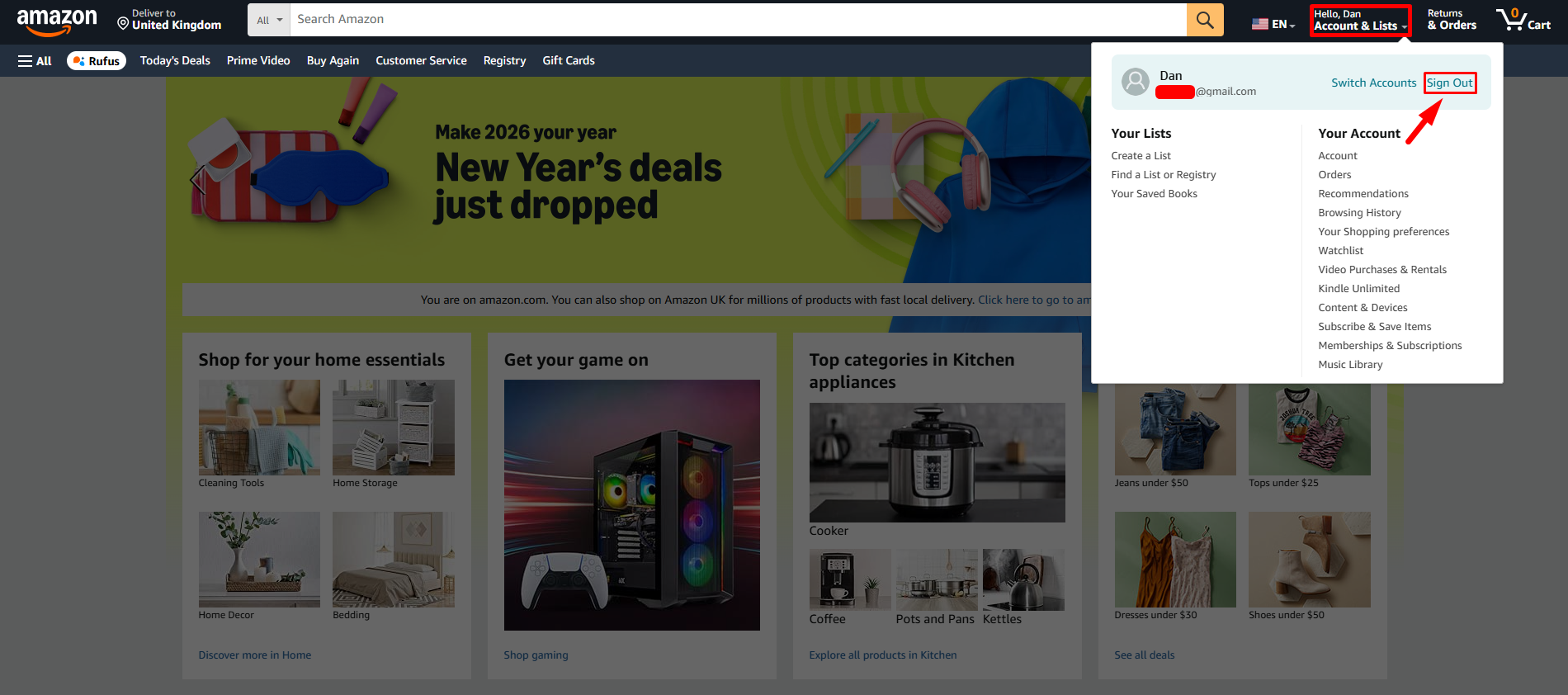
2. Use a brand-new, unused email address.
3. For phone verification: Instead of your real number, get a virtual one from TIGER SMS:
- Register on TIGER SMS and top up your balance (pay only per successful SMS — very affordable, starting from a few cents).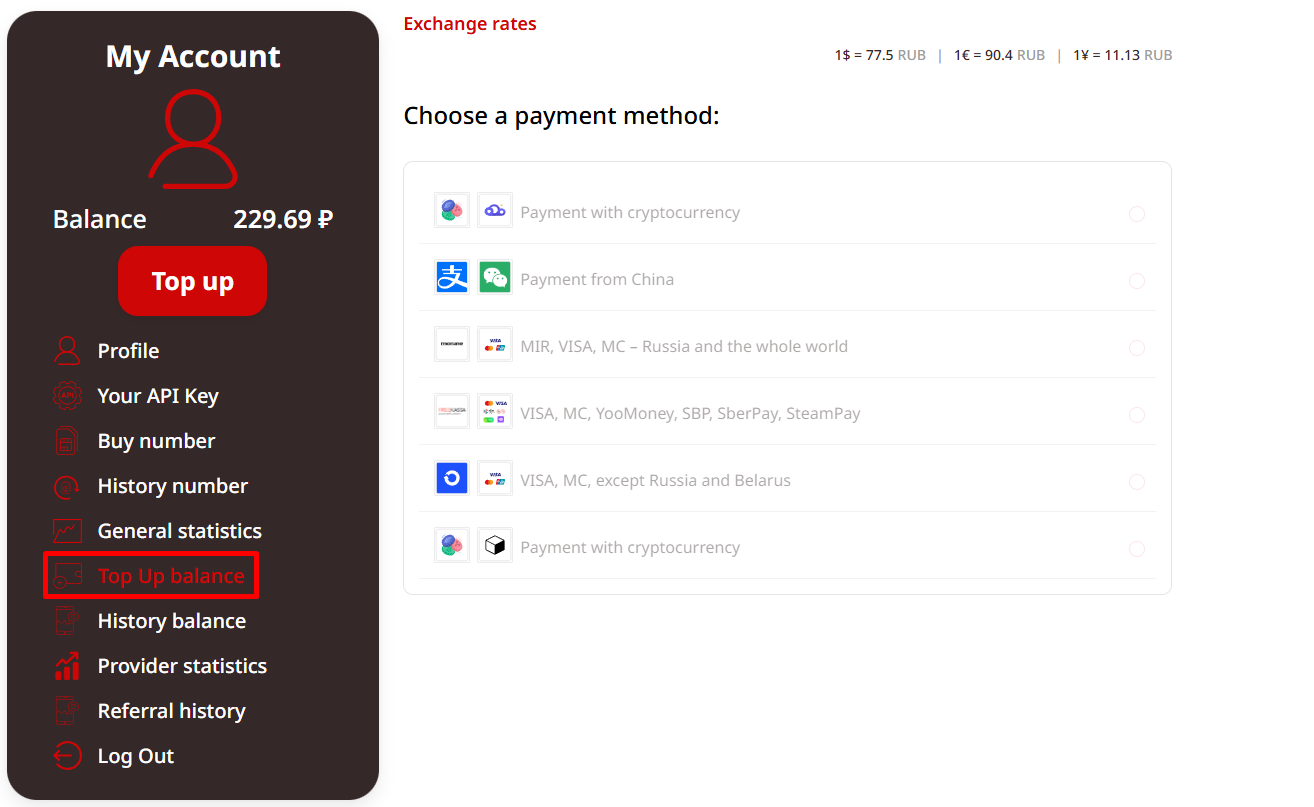
- Select Amazon as the service and choose a country (e.g., US, UK, or others for better compatibility).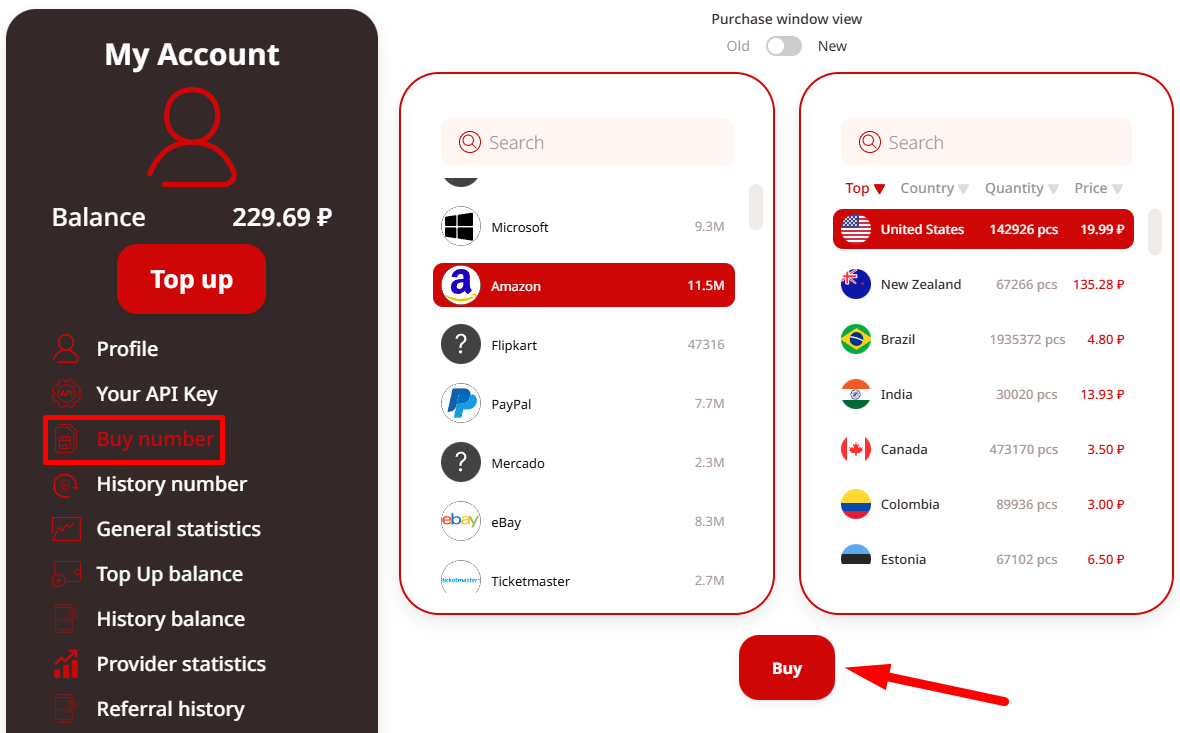
- Purchase the virtual number — it appears instantly.
- Enter this number during Amazon signup.
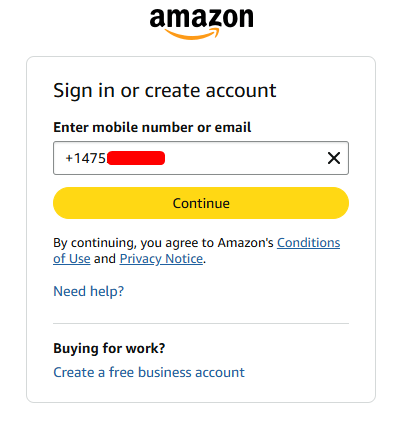
- Return to your TIGER SMS dashboard to view the incoming verification code from Amazon and complete registration.
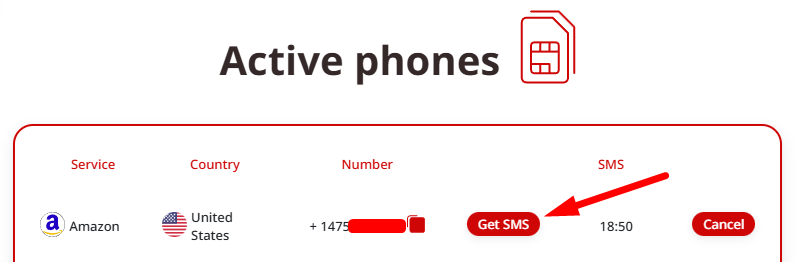
4. Provide unique payment methods and addresses tied only to this account.
5. Use separate browser environments or devices to prevent fingerprint linking.
This approach with TIGER SMS ensures fast, secure verification while keeping your personal number private and avoiding linkage risks.
The Role of Amazon’s Household Feature
For family sharing of Prime benefits (shipping, video, etc.) without separate full accounts, use Amazon Household. It links up to two adults with shared perks but separate purchase histories — ideal for households wanting convenience without multiple independent accounts.
How to Avoid Getting Banned by Amazon
Amazon’s systems are highly sophisticated in 2026. Protect your accounts by:
-
Keeping everything separated: emails, phones (via TIGER SMS virtual numbers), payments, addresses, IPs, and devices.
-
Using antidetect solutions like Multilogin for unique browser fingerprints.
-
Applying TIGER SMS virtual numbers for every new account — this eliminates personal phone exposure and supports bulk or repeated registrations cleanly.
-
Never sharing resources across accounts.
-
For seller accounts: Always request official permission from Amazon for multiples and provide clear business justification.
Does Amazon Detect Multiple Accounts?
Yes — through IP logs, device fingerprints, behavioral patterns, and cross-linked data (payments, addresses, phones). Using the same real phone number or overlapping details is a fast way to get flagged. TIGER SMS helps bypass this by supplying fresh, dedicated virtual numbers per account.
Can Amazon Ban You for Multiple Accounts?
Absolutely, if Amazon concludes the accounts violate terms (fraud, abuse, or lack of legitimate separation). To minimize risk:
-
Get explicit approval for extra seller accounts.
-
Use tools like TIGER SMS responsibly for verification only.
-
Strictly follow Amazon’s policies on account usage, payments, and activity.
By combining proper separation techniques with reliable services like TIGER SMS for phone verification, you can manage multiple Amazon accounts more securely and efficiently in 2026 while staying within the rules. Always prioritize compliance to protect your business long-term.