
How to Get a Virtual Phone Number for Yahoo Account Creation in 2026
Contents
Latest Updates to Yahoo Account Signup in 2026
Understanding Virtual Phone Numbers
Why Choose TIGER SMS for Yahoo Verifications?
Step-by-Step: Registering a Yahoo Account with a TIGER SMS Virtual Number

Yahoo continues to stand as a classic online hub, delivering everything from free email (Yahoo Mail) to news feeds, stock quotes, weather reports, and live sports coverage. With its massive storage allowance and clean interface, Yahoo Mail remains a favorite for millions seeking a straightforward email experience.
Latest Updates to Yahoo Account Signup in 2026
Yahoo's registration flow stays focused on security and anti-spam measures. As confirmed by official Yahoo Help resources and recent user reports, creating a new account still requires a valid mobile number for SMS verification (OTP code) in most cases. This step helps verify identity, enable account recovery, and cut down on bots/fake profiles.
No major policy shifts removed the phone requirement in 2026—it's still mandatory during standard signup. Attempts to skip it entirely often fail, though some older workarounds (like linking Google/Facebook) have become unreliable or inconsistent. Yahoo explicitly states a mobile number is needed for verification and recovery.
For users in regions like the EU, stricter data rules (influenced by ongoing regulations) add extra privacy layers, but the core SMS check remains. After setup, enabling two-step verification (2FA) via authenticator app or backup codes is highly recommended to lock things down further.
If privacy matters to you—or you need multiple accounts without exposing your real digits—a high-quality virtual phone number is the most reliable, discreet solution.
Understanding Virtual Phone Numbers
Unlike traditional SIM-based lines, virtual numbers operate over the internet (VoIP/cloud tech). They receive SMS codes instantly via online dashboards, perfect for one-time verifications on services like Yahoo, without tying your personal mobile to the account.
This approach keeps your real number private, avoids spam texts, and lets you bypass regional blocks or reuse limits. TIGER SMS specializes in fresh, dedicated virtual numbers that work seamlessly for Yahoo registrations.
Why Choose TIGER SMS for Yahoo Verifications?
TIGER SMS delivers premium, non-shared numbers from dozens of countries, optimized for tough platforms like Yahoo. Key advantages:
-
High Compatibility — Numbers rarely get flagged as VoIP or invalid by Yahoo
-
Instant Delivery — OTP codes appear in seconds
-
Country Variety — Select US, UK, Canada, EU, or others to match your setup
-
Private & Exclusive — No recycled/free numbers that fail verification
-
Simple Pricing — Affordable one-time numbers, no subscriptions needed
-
Fast Support — Quick help if any hiccups occur
Step-by-Step: Registering a Yahoo Account with a TIGER SMS Virtual Number
Follow these steps to create your Yahoo Mail account privately and reliably:
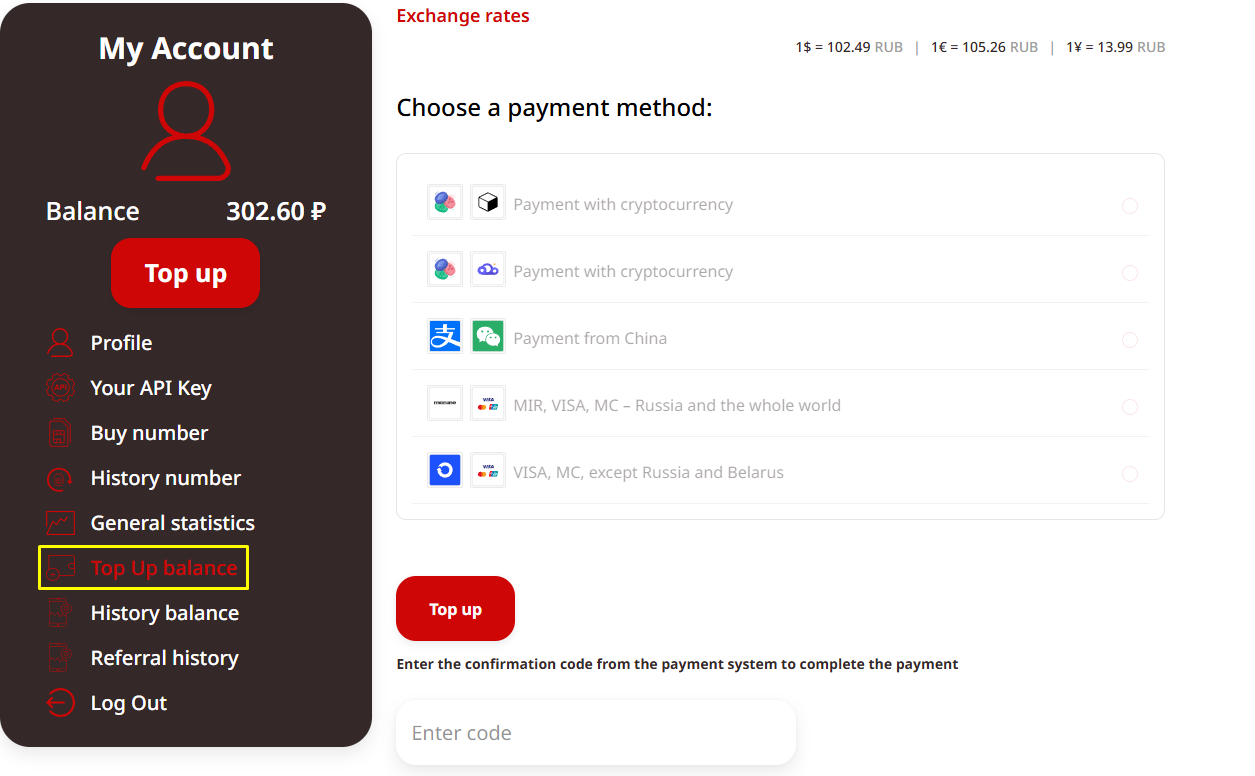
1) Sign Up on TIGER SMS Visit the TIGER SMS site, create a free account, and add funds to your balance (we support various payment methods for convenience).

2) Select Yahoo Service In the dashboard, search for "Yahoo" as the target platform. Choose a country—US/UK numbers often have the highest success rates for global users.
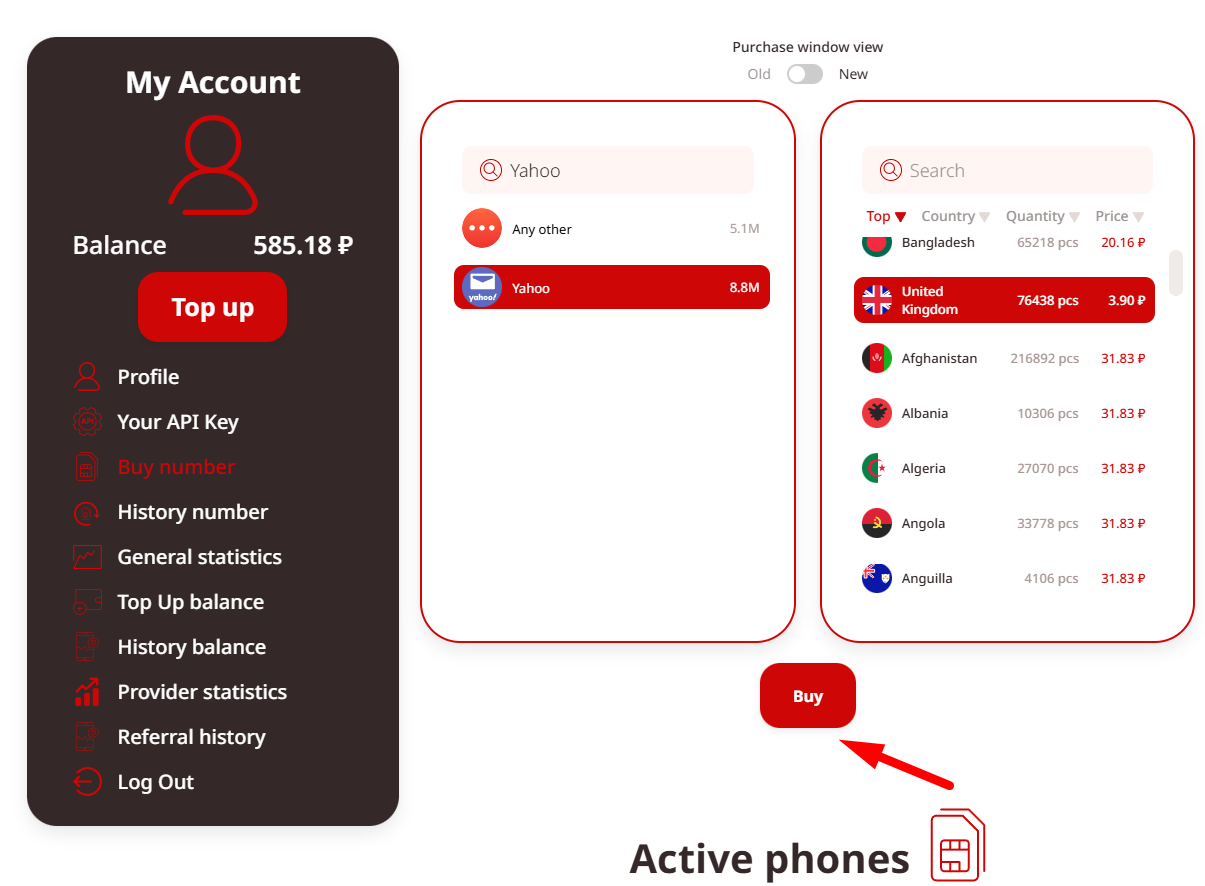
3) Purchase the Number Buy a dedicated virtual number. It activates immediately and is reserved just for you during the rental period.
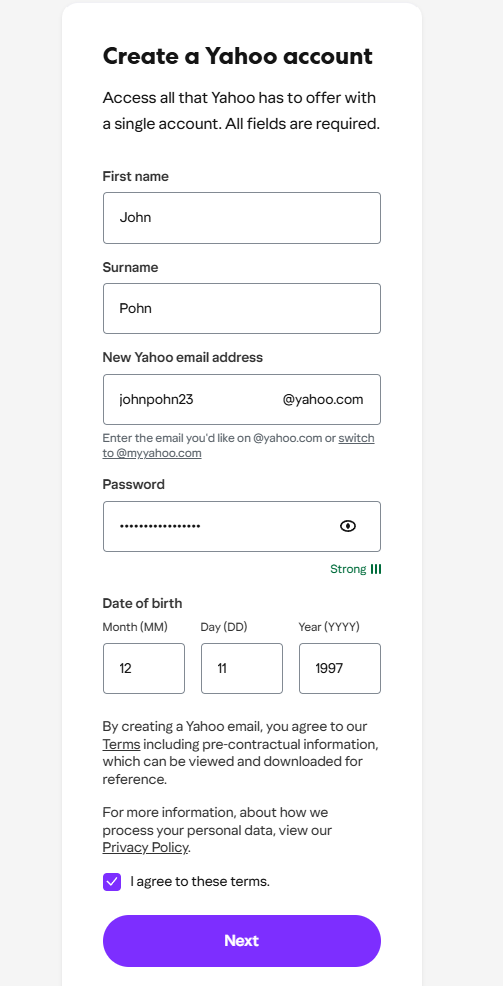
4) Start Yahoo Registration Go to the official Yahoo signup page (login.yahoo.com → Create an account). Fill in your name, desired email address (e.g., [email protected]), password, date of birth, and other basics. When asked for a mobile number, enter your TIGER SMS virtual one (include the correct country code).
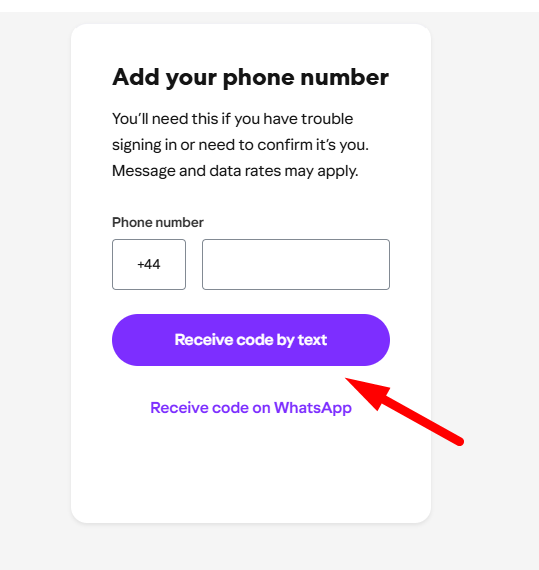
5) Request the OTP Code Click to send the verification code. Switch to your TIGER SMS dashboard—the SMS from Yahoo should arrive almost instantly.
6) Complete Verification Copy the OTP and paste it into the Yahoo field. Hit continue/submit. Your account activates right away.
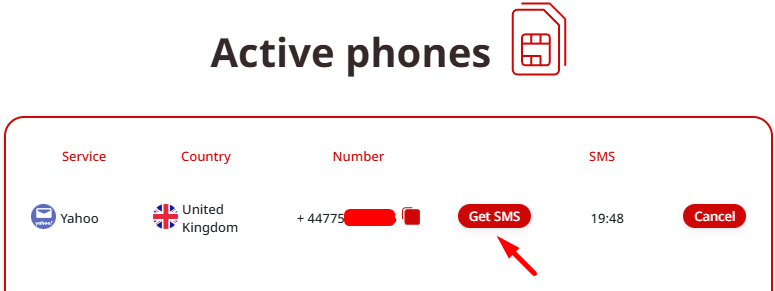
7) Secure Your New Account Log in, enable two-step verification (preferably app-based for extra safety), add a recovery email if desired, and review recent activity settings.
That's all—your new Yahoo account is live, fully verified, and linked only to a disposable virtual number.
Tips for Smooth Yahoo Registrations in 2026
-
Use a consistent IP/location (avoid heavy VPNs during signup to prevent flags)
-
Don't rush multiple creations from the same device/IP too quickly
-
Opt for private numbers over free/public ones—Yahoo blocks many low-quality VoIP ranges
-
If a number fails, simply rent a fresh one (you pay only for received SMS)
Final Note
Yahoo's phone verification isn't going away anytime soon—it's a core defense against abuse. But you don't have to compromise your privacy. With TIGER SMS, you get a clean, effective virtual number that handles Yahoo OTPs flawlessly, letting you create and manage accounts on your terms.
No real SIM needed. No personal data exposed. Just fast, secure access.
Head to TIGER SMS now, grab a Yahoo-ready number, and set up your account in minutes. Stay private, stay connected.