
How to Create an Outlook Account Without a Phone Number? A 2026 Guide to Staying Anonymous
Contents
Why Microsoft Often Asks for a Phone Number
Why Choose an Anonymous Outlook Setup?
Step-by-Step: How to Create an Outlook Account Without a Personal Phone Number
The Power of Temporary Numbers for Outlook Verification
Understanding OTPs in the Process
Maintaining an Anonymous Outlook Account: Essential Tips
Stronger Privacy Alternatives to Outlook
1) Is phone verification always required for Outlook?
2) Are temporary numbers reliable for Microsoft signups?
3) Can Microsoft lock or ban no-phone accounts?
Signing up for a new Outlook (or Microsoft) email account often triggers a request for a phone number, leaving privacy-conscious users wondering: is a phone number truly mandatory for Outlook registration?
The direct answer is no — Outlook does not strictly mandate a phone number in all situations. Microsoft pushes for it as an extra security layer to combat bots, spam accounts, and aid in password resets, but alternatives exist. Depending on factors like your IP address, location, signup frequency, or detected patterns, the system might allow skipping the phone step or offer other verification paths.
In this updated guide, we'll break down why Microsoft requests phone verification, proven methods to create an Outlook account without sharing your real number, the role of temporary virtual numbers, and tips for keeping your account truly anonymous. We'll also cover reliable alternatives if maximum privacy is your priority.

Why Microsoft Often Asks for a Phone Number
Microsoft incorporates phone-based verification to strengthen account protection against automated abuse and unauthorized access. It serves multiple purposes:
-
Verifies you're a real person, not a bot creating bulk accounts.
-
Enables easier recovery if you forget your password.
-
Helps flag suspicious activity from certain regions or IPs.
While understandable from a security standpoint, this can feel intrusive for users who prefer to avoid linking personal data to yet another online service.
The good news? Recent user reports and methods from 2025–2026 confirm you can often bypass or work around the phone prompt without violating terms.
Why Choose an Anonymous Outlook Setup?
More people than ever seek privacy-focused email creation for valid reasons:
-
Enhanced data privacy — Avoid feeding big tech more profile data.
-
Reduced spam risks — No unwanted texts or calls from leaked numbers.
-
Breach protection — Limit exposure if a service suffers a data leak.
-
Temporary needs — Ideal for one-off projects, testing, or throwaway accounts.
Step-by-Step: How to Create an Outlook Account Without a Personal Phone Number
Follow these approaches to register successfully:
1) Head to the official Microsoft account signup page (signup.live.com or outlook.com signup).
2) Fill in your desired email (e.g., [email protected]), name, and strong password.
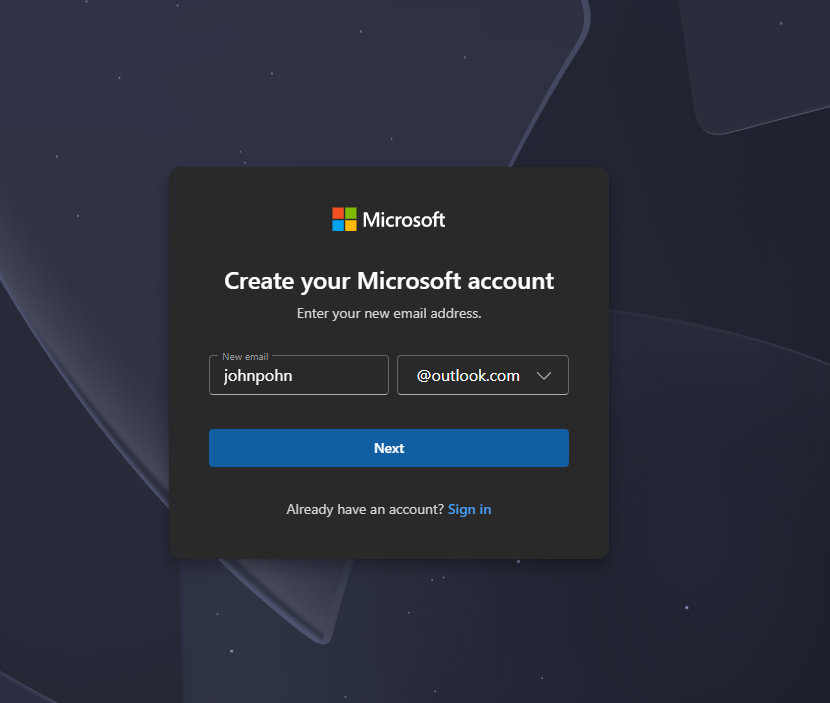
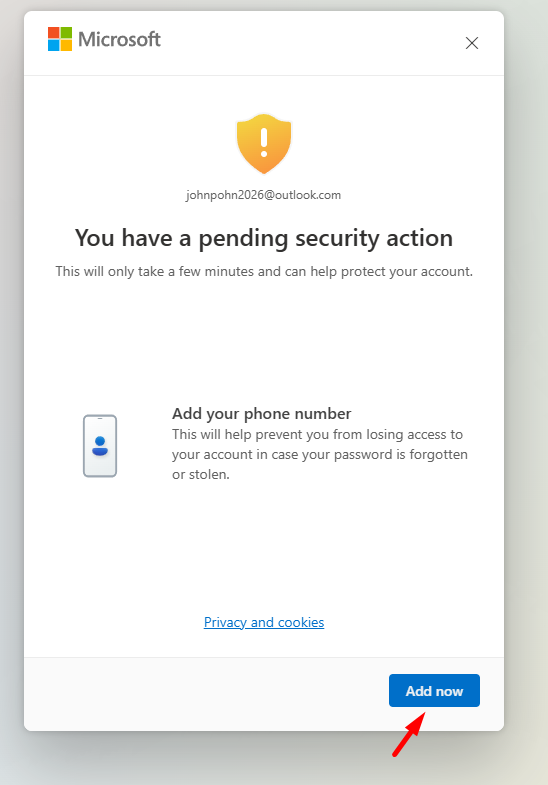
3) When the phone number field appears, check for a "Use email instead" or "Skip for now" option — sometimes it's labeled as adding a recovery email. If you can't then choose "Add now"
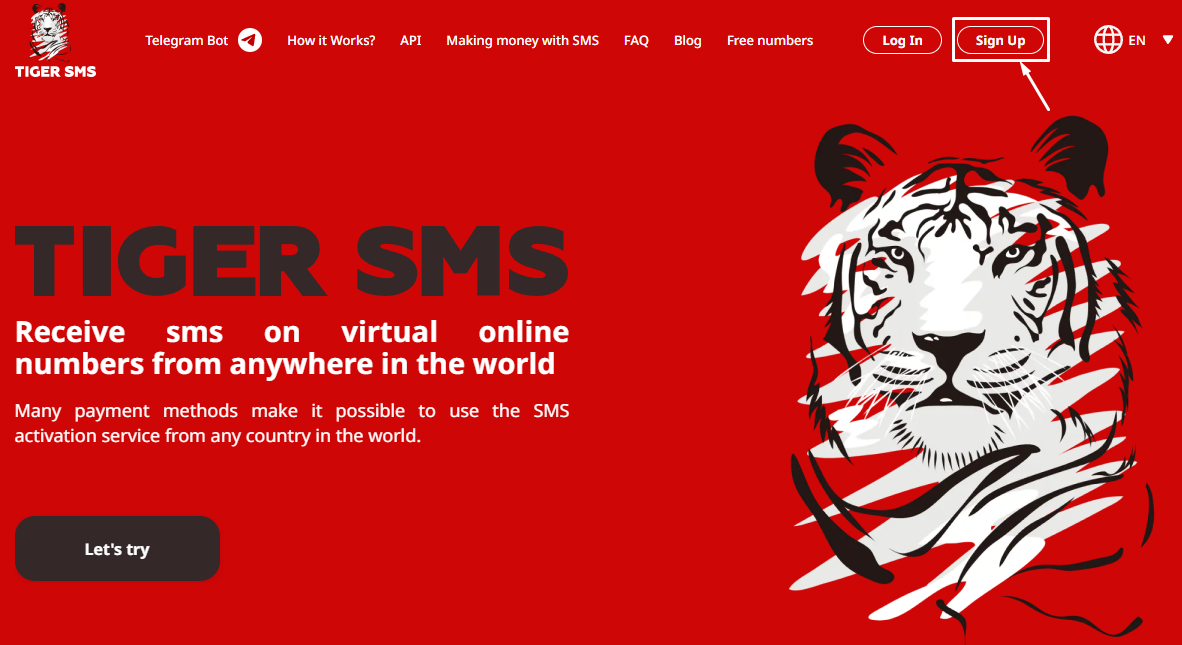
4) Go to TIGER SMS, create an account and top up balance.
5) Go to "Buy number" section and choose desired number
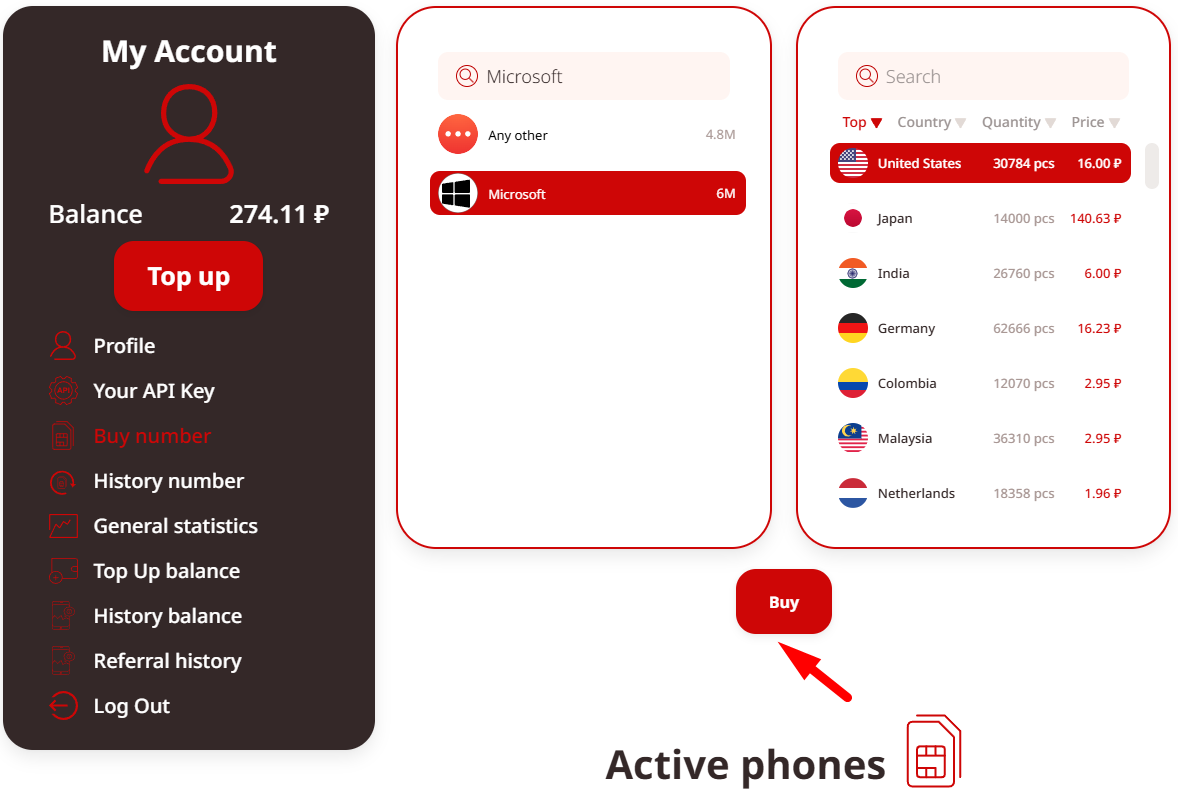
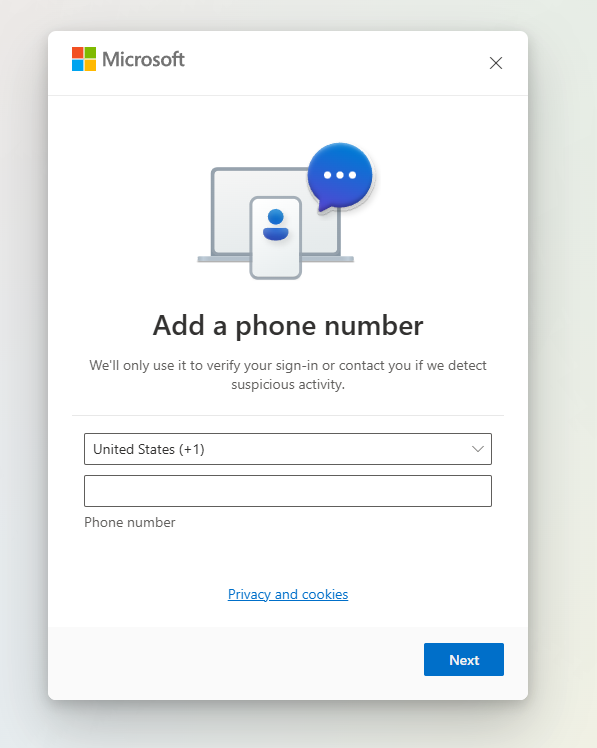
6) Enable a VPN to simulate a different location/IP — this often relaxes verification rules. And type number for Outlook
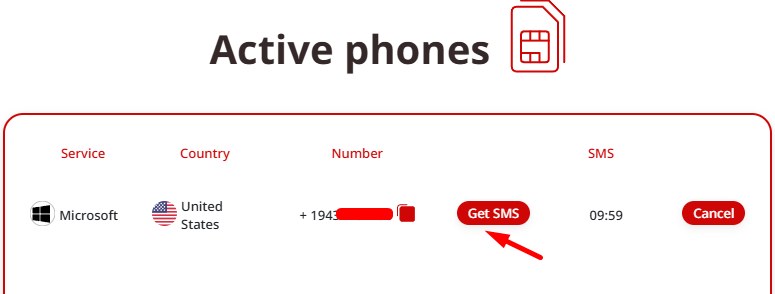
7) Receive SMS on TIGER SMS dashboard
7) Solve any CAPTCHA, confirm, and access your new inbox.
Pro tip: Act quickly after receiving the code, as temporary numbers have short lifespans.
The Power of Temporary Numbers for Outlook Verification
Virtual or temporary numbers provide disposable SIM-like functionality for receiving one-time SMS codes (OTPs). Services like TIGER SMS specialize in this, offering numbers from numerous countries that work well for Microsoft/Outlook signups.
Key benefits:
-
Full privacy — no link to your real identity.
-
Instant SMS delivery for fast verification.
-
Affordable (often just cents per use).
-
Wide country selection to match regional requirements.
With TIGER SMS, select a number, input it during signup, grab the incoming code from our platform, and complete registration in moments. It's one of the most dependable options for Outlook in 2026.
Understanding OTPs in the Process
Microsoft sends a one-time password (OTP) via SMS (or email) to confirm ownership during creation or added security steps. A temporary number catches this code seamlessly, letting you finalize setup without personal exposure.
Maintaining an Anonymous Outlook Account: Essential Tips
After creation, protect your privacy long-term:
-
Set a robust, unique password (use a manager!).
-
Add a secondary recovery email immediately (avoid phone if possible).
-
Stick to consistent VPN locations for logins to minimize flags.
-
Avoid logging in from too many devices or unusual patterns.
-
Document recovery details securely.
These habits reduce future prompts for additional verification.
Stronger Privacy Alternatives to Outlook
If Outlook's ecosystem isn't essential, consider these privacy-first providers that rarely (or never) demand phone numbers:
-
Proton Mail — Zero-knowledge encryption and strict no-logs policy.
-
Tutanota — Fully encrypted, open-source, and EU-based privacy focus.
-
Mailfence or similar — Flexible options with minimal personal data requirements.
These often deliver a smoother anonymous experience from the start.
Common Questions Answered
1) Is phone verification always required for Outlook?
No — many users skip it via recovery email or temporary numbers, though it depends on context.
2) Are temporary numbers reliable for Microsoft signups?
Yes, especially from established platforms like TIGER SMS. Success rates are high for fresh numbers.
3) Can Microsoft lock or ban no-phone accounts?
No bans for lacking a number, but suspicious activity might trigger extra checks.
4) Best anonymous email options beyond Outlook?
Proton Mail and Tutanota top the list for strong encryption and privacy.
Final Thoughts
Outlook does not always require a phone number — Microsoft promotes it for security, but smart workarounds like recovery emails, VPNs, or temporary virtual numbers let you create and use an account anonymously.
For the quickest, most reliable path in 2026, grab a temporary number from TIGER SMS, breeze through verification, and enjoy your new Outlook inbox without compromising your personal phone.
Ready to set up your anonymous account? Visit TIGER SMS now, pick a number, receive your OTP instantly, and sign up securely. Stay private, stay protected!