
How to Create an Anonymous WhatsApp Account in 2026
Contents
Why WhatsApp Requires a Phone Number
How to Register an Anonymous WhatsApp Account Using a Virtual Number

WhatsApp is one of the most popular messaging apps in the world, used daily by over 2 billion people. The app allows users to exchange messages, make voice and video calls, send files, and create large groups or channels. Originally, WhatsApp positioned itself as a service with maximum privacy protection and minimal data collection. However, after being acquired by Meta in 2014, its privacy policy changed significantly.
Today, a phone number is mandatory to register on WhatsApp. This raises legitimate concerns about data leaks, tracking, or sharing information with third parties. Complete anonymity in the classical sense is not possible, but you can reliably hide your real phone number and protect your identity by using temporary virtual numbers.
Why WhatsApp Requires a Phone Number

A phone number is used for identity verification, spam prevention, and automatic contact synchronization. Meta maintains end-to-end encryption for messages and calls, but metadata (who you communicate with, when, and how often) may be processed under the company’s policies or provided upon lawful requests from authorities.
WhatsApp Advantages in 2026
-
Works on all platforms: Android, iOS, Windows, macOS, and WhatsApp Web
-
Supports all file types: photos, videos, documents, voice messages, and location sharing
-
High-quality voice and video calls, including group calls
-
Large group chats and channels (up to thousands of participants in channels)
-
End-to-end encryption for messages and calls
How to Register an Anonymous WhatsApp Account Using a Virtual Number

It is impossible to completely bypass the phone number requirement, but with TIGER SMS you can obtain a temporary virtual number from almost any country in the world. It receives SMS verification codes online, keeping your real phone number private.
TIGER SMS is a reliable service offering numbers from 260+ countries, instant SMS delivery, support for WhatsApp and thousands of other platforms, very low prices (starting from just a few cents), and a refund guarantee if the verification code does not arrive.
Step-by-Step Guide: Registering WhatsApp via TIGER SMS
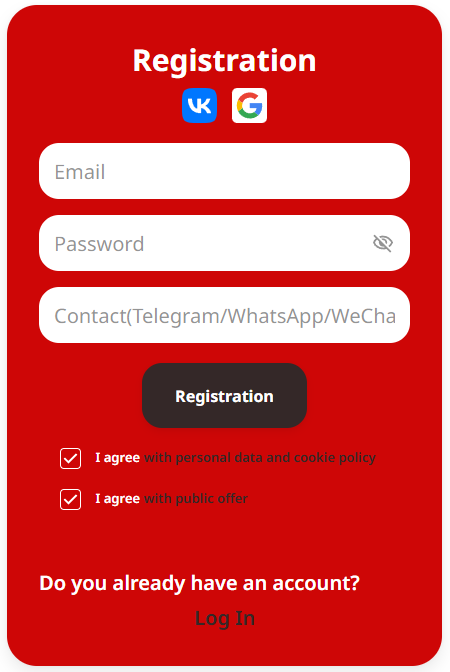
1. Sign up on TIGER SMS
Visit the website and create an account using your email address (or via social networks).
2. Top up your balance
Add funds using a convenient payment method: bank card, e-wallets, or cryptocurrency. Prices for WhatsApp numbers are very affordable.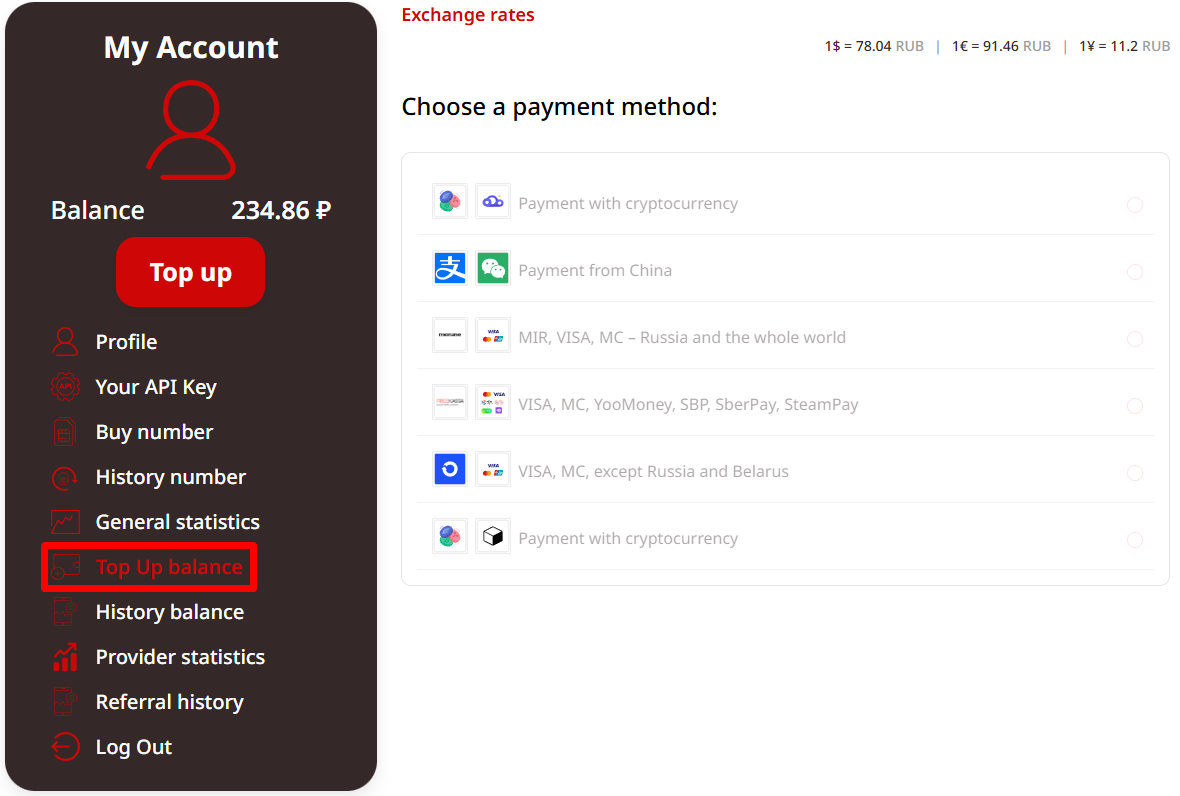
3. Choose a country and service
Find “WhatsApp” in the list of services and select a country (for example, the USA, the UK, Indonesia, Kazakhstan, or any other country not associated with you).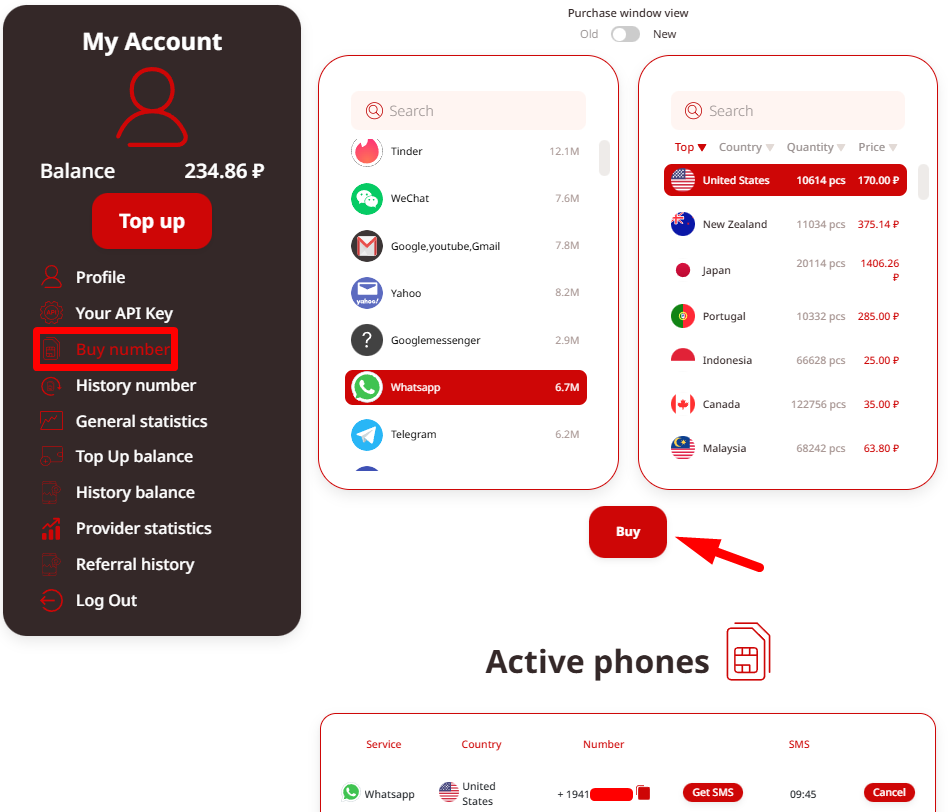
4. Purchase a number
Click “Buy” — the virtual number will instantly appear in the “History” or “Active Numbers” section.
5. Start WhatsApp registration
Install WhatsApp (or WhatsApp Business) and enter the purchased virtual number. WhatsApp will send a 6-digit verification code via SMS.
6. Receive the code
Return to your TIGER SMS dashboard and open the number — the code usually arrives within seconds or a couple of minutes.
7. Complete registration
Enter the received code in WhatsApp to activate the account. Your real phone number remains completely hidden.
Helpful tip: For maximum anonymity, do not sync contacts, disable Google/Apple backups, and avoid linking your account to personal cloud services.
With TIGER SMS, you gain full control over your privacy and can use all WhatsApp features without the risk of exposing personal data. This solution is suitable for personal use, separating accounts, business purposes, testing, or simply maintaining anonymity.